Loading
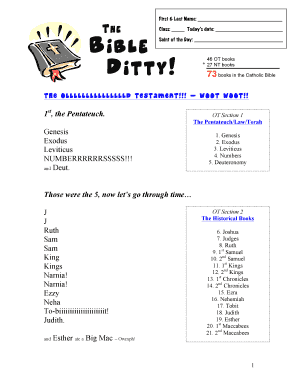
Get Catholic Religion Teacher Bible Ditty Lyrics Form_dsa
How it works
-

Open form follow the instructions
-

Easily sign the form with your finger
-

Send filled & signed form or save
How to fill out the Catholic Religion Teacher Bible Ditty Lyrics Form_DSA online
This guide provides a clear and detailed process for completing the Catholic Religion Teacher Bible Ditty Lyrics Form_DSA online. Whether you are new to filling out forms or have experience, these instructions will ensure you complete the form accurately.
Follow the steps to fill out the form effectively.
- Use the 'Get Form' button to access the Catholic Religion Teacher Bible Ditty Lyrics Form_DSA. Click this button to open the form in the online editor.
- Fill in your first and last name in the designated fields. This information is essential for identification purposes.
- Enter your class in the provided section. Make sure to specify the relevant class to help categorize your submission.
- Input today’s date in the appropriate field to indicate when the form is being completed. This ensures the form is timely and relevant.
- Write the 'Saint of the Day' in the given space. This section may reflect the day’s liturgical celebration and is essential for context.
- Review the Bible books listed in the sections, ensuring you understand each category. You may want to familiarize yourself with the Old Testament books, Historical books, Wisdom books, and New Testament sections.
- Once all fields are completed, check the accuracy of your entries for clarity and correctness. This step is crucial to avoid any issues with your submission.
- After confirming that all information is correct, you can save your changes, download, print, or share the form as needed based on your submission requirements.
Start completing your document online today!