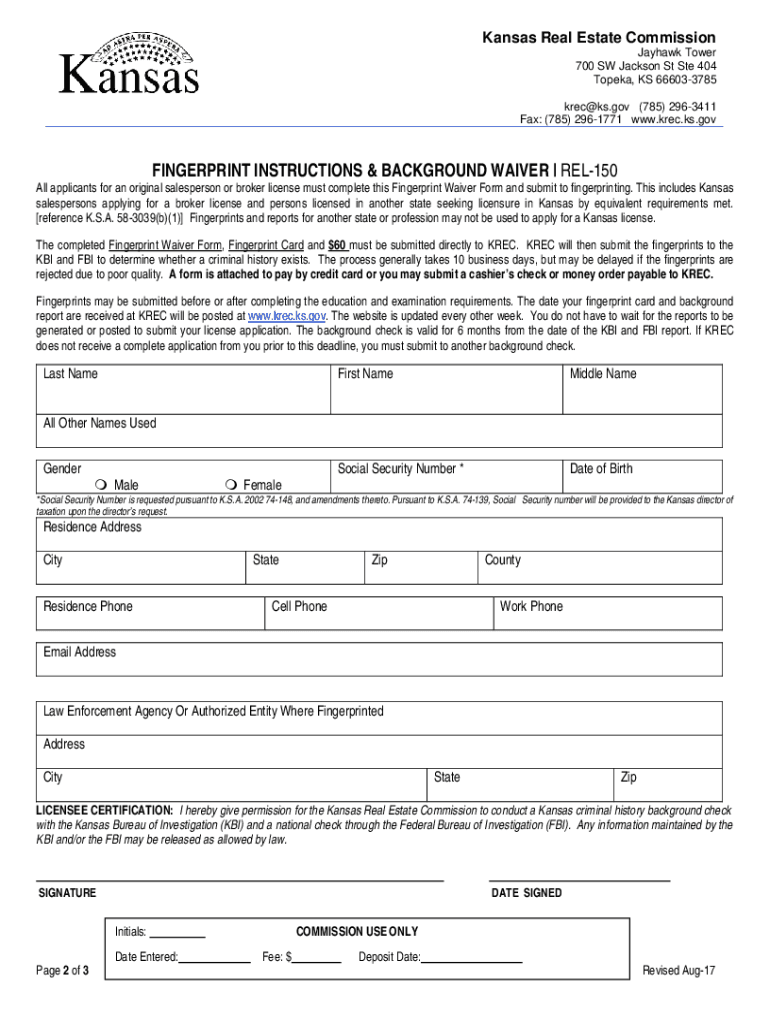
Kansas Real Estate Commission Jayhawk Tower 700 SW Jackson St Ste 404 Topeka, KS 666033785 rec ks.gov (785) 2963411 Fax: (785) 2961771 www.krec.ks.govFINGERPRINT INSTRUCTIONS & BACKGROUND WAIVER REL150.
Loading

Open form follow the instructions

Easily sign the form with your finger

Send filled & signed form or save
How to fill out the KS REL-150 online
Filling out the Kansas Real Estate Commission's KS REL-150 form online is an important step for individuals seeking a salesperson or broker license. This guide will provide you with clear, step-by-step instructions to ensure a smooth completion process.
Follow the steps to fill out the KS REL-150 form correctly.
- Click the ‘Get Form’ button to obtain the KS REL-150 form and open it in your preferred online editor.
- Type or print all information in black ink, ensuring legibility and clarity.
- Enter your complete name in the order of last name, first name, and middle name. Do not modify any part of your name as per identification.
- In the 'Signature of person fingerprinted' section, you must provide proof of identity to the official taking your fingerprints, and have them witness your signature.
- List any aliases or other names you have used, including maiden names, in the ‘Aliases AKA’ section.
- Ensure the ORI field is filled out correctly. It should indicate 'KS920120Z, Real Estate Commission, Topeka KS'.
- Fill in your date of birth in the MM/DD/YY format.
- Provide your full current residence address, keeping in mind that a P.O. Box alone is not sufficient.
- Enter the date when your fingerprint card is completed, using the same MM/DD/YY format.
- Have the official taking the fingerprints complete their signature and print their name underneath.
- Indicate your citizenship, using 'US' for United States citizens or the relevant two-character codes for foreign citizens.
- Mark your gender with 'M' for male or 'F' for female.
- Lastly, enter your Social Security number or work visa number as requested.
- Review all completed sections for accuracy, then save your changes, download, print, or share the form as needed.
Complete your KS REL-150 form online today to take the next step in your real estate career.
Experience a faster way to fill out and sign forms on the web. Access the most extensive library of templates available.
Related content
All forms can be submitted electronically via email (krec@ks.gov) or fax (785-296-1771)...
You must email/fax the waiver agreement REL-150 and payment authorization on pages 4 and 5...
May 25, 2012 — approved by: KS revision: 2.1. Key data. Power module using IGBT4...
Use professional pre-built templates to fill in and sign documents online faster. Get access to thousands of forms.
If you believe that this page should be taken down, please follow our DMCA take down process here.
This form is available in several versions. Select the version you need from the drop-down list below.