Loading
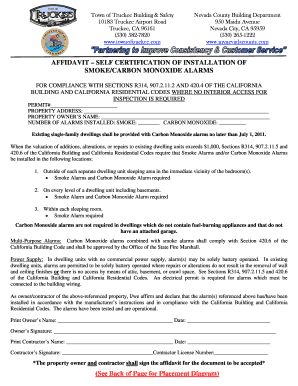
Get Ca Smoke And Carbon Monoxide Alarms Affidavit 2014
How it works
-

Open form follow the instructions
-

Easily sign the form with your finger
-

Send filled & signed form or save
How to fill out the CA Smoke And Carbon Monoxide Alarms Affidavit online
Completing the CA Smoke And Carbon Monoxide Alarms Affidavit is an important step to ensure compliance with building safety regulations. This guide will provide you with a clear, step-by-step approach to filling out the form online efficiently.
Follow the steps to successfully complete the affidavit online.
- Click ‘Get Form’ button to obtain the affidavit and open it in your preferred online tool.
- Locate the permit number field and enter the applicable permit number for your property.
- In the property address section, clearly input the full address where the smoke and carbon monoxide alarms are installed.
- Fill in the property owner's name accurately, ensuring spelling is correct for verification purposes.
- Specify the number of alarms installed. Include numbers for both smoke alarms and carbon monoxide alarms as required.
- Affirm the installation by signing in the designated field. Print your name, then add the date beside your signature.
- If a contractor is involved, have them fill out their section similarly, including their license number.
- Once all fields are completed, save your changes. You can choose to download, print, or share the completed affidavit as needed.
Start filling out your CA Smoke And Carbon Monoxide Alarms Affidavit online today to ensure compliance and safety.
Get form
Experience a faster way to fill out and sign forms on the web. Access the most extensive library of templates available.
Get This Form Now!
Use professional pre-built templates to fill in and sign documents online faster. Get access to thousands of forms.