Loading
Get Md Ymca Employment Application - Cumberland 2021-2026
How it works
-

Open form follow the instructions
-

Easily sign the form with your finger
-

Send filled & signed form or save
How to fill out the MD YMCA Employment Application - Cumberland online
The MD YMCA Employment Application - Cumberland is an important document for individuals seeking employment with the YMCA. This guide will help users navigate the application process online, ensuring a complete and accurate submission.
Follow the steps to successfully complete your application.
- Click ‘Get Form’ button to access the application and open it in your editor of choice.
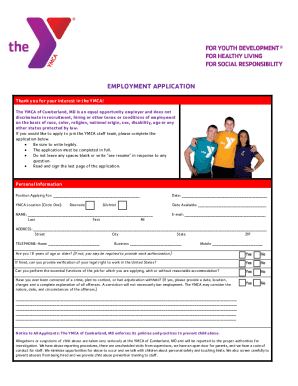
- Begin by entering your personal information, including the position you are applying for, your name, email, address, and phone numbers. Ensure that all fields are filled accurately and legibly.
- Indicate your age to confirm if you are 18 years of age or older, and provide information regarding your legal right to work in the United States.
- Complete the employment information section by listing your preferred work status, availability, and previous employment history—if applicable.
- Provide your educational background by listing schools attended, degrees earned, and any relevant certifications, ensuring to include details such as major and graduation status.
- List professional and personal references, ensuring not to include relatives or past employers.
- Review the application acknowledgement and authorization section, read the statements carefully, and sign at the designated area to confirm understanding and agreement.
- Once you have completed the application, save your changes. You can then download, print, or share the completed form as necessary.
Start your application process today by completing the MD YMCA Employment Application - Cumberland online.
Hiring Age: 18 years old (How old do you have to be to work at YMCA?)