Loading
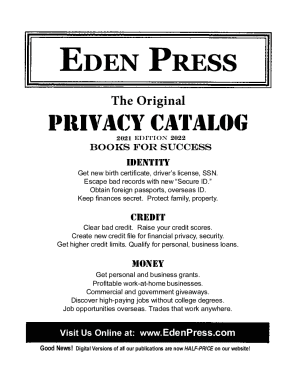
Get Eden Press The Original Privacy Catalog 2021-2026
How it works
-

Open form follow the instructions
-

Easily sign the form with your finger
-

Send filled & signed form or save
How to fill out the Eden Press The Original Privacy Catalog online
Filling out the Eden Press The Original Privacy Catalog online is a straightforward process that can help you manage your privacy preferences effectively. This guide will walk you through each section of the catalog, providing you with the necessary information to complete it with confidence.
Follow the steps to complete the catalog online successfully.
- Click ‘Get Form’ button to access the online form. This will allow you to begin filling out the catalog directly within the editing interface.
- Begin with the personal information section. Fill in your name, address, and contact details as requested. Ensure that all information is accurate to facilitate proper processing.
- Proceed to the privacy preferences section. Here, you will indicate your preferences regarding privacy settings and how you would like your personal information to be handled.
- Next, review the section titled 'Financial Information.' This part requires details about your financial preferences and expectations. Provide the necessary information clearly and concisely.
- If applicable, complete the section for 'Special Instructions.' This allows you to give any additional insights or requirements that need to be considered related to your privacy.
- Once all sections have been filled out, carefully review your entries for any errors. Make corrections as needed to ensure accuracy.
- Finally, save your changes. You can then download, print, or share the completed form as needed for your records or future reference.
Start completing the Eden Press The Original Privacy Catalog online today to take control of your privacy!