Loading
Get Nz Inz 1175 2021-2026
How it works
-

Open form follow the instructions
-

Easily sign the form with your finger
-

Send filled & signed form or save
How to fill out the NZ INZ 1175 online
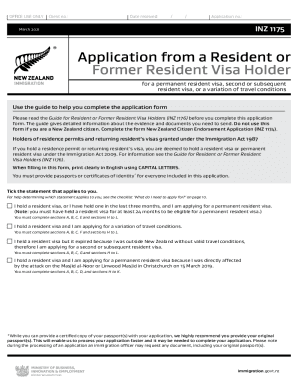
Filling out the NZ INZ 1175 form accurately is essential for your application process. This guide provides a step-by-step approach to help you navigate each section of the form effectively, ensuring that you understand what is required for a successful application.
Follow the steps to successfully complete the NZ INZ 1175 form.
- Click ‘Get Form’ button to obtain the form and open it in the editor.
- Read the introductory instructions carefully. Ensure you understand which type of visa you are applying for and confirm that you are eligible to use the NZ INZ 1175 form.
- Complete Section A with the principal applicant's personal details. This includes your full name as shown in your passport, date of birth, and gender. Be sure to attach two recent passport-sized photographs.
- Fill in Section B, which requires your contact details. Provide a daytime and evening phone number where Immigration New Zealand can reach you if needed.
- Section C is focused on your partner and children’s personal details. Include their names, dates of birth, and passport numbers, ensuring all relevant individuals from your original resident visa application are listed.
- For those affected by the Christchurch attack, complete Section D, which addresses your current residency status and eligibility for the specific visa related to the event.
- In Section E, indicate which criteria you meet for obtaining a permanent resident visa. Attach necessary evidence supporting your claims.
- Complete Section F if you are applying for a variation of travel conditions, indicating the duration and criteria related to your application.
- If applicable, fill out Section G for a second or subsequent resident visa, clarifying your current status and any relevant details.
- In Section H, complete the character declaration honestly and thoroughly, addressing any legal issues as required.
- Finalize your application by filling out Section I, where you declare the truthfulness of the information provided. Ensure all required signatures are included.
- Review your completed form to check for errors and omissions. Once confirmed, you can save changes, download, print, or share the form as needed.
Complete your NZ INZ 1175 application online today to ensure a smoother immigration process.