Loading
Get Az Biofuel Annual Report Form 2018-2026
How it works
-

Open form follow the instructions
-

Easily sign the form with your finger
-

Send filled & signed form or save
How to fill out the AZ Biofuel Annual Report Form online
Filling out the Arizona Biofuel Annual Report Form online is a straightforward process that allows businesses to consolidate their reporting for multiple locations. This guide provides clear steps tailored to help users navigate through each section of the form efficiently.
Follow the steps to complete the AZ Biofuel Annual Report Form.
- Press the ‘Get Form’ button to access the form and open it in your preferred online editor.
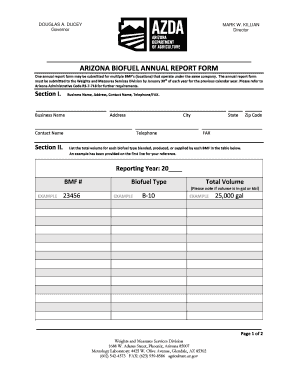
- In Section I, input your business name, address, contact name, and telephone/fax numbers accurately. Ensure that all information is correct and clear.
- Proceed to Section II where you need to list the total volume for each biofuel type blended, produced, or supplied by each biofuel manufacturing facility (BMF). Refer to the example provided in this section for guidance.
- Record the reporting year in the specified area, and for each BMF, specify the biofuel type and the total volume produced, blended, or supplied. Specify whether the volume is in gallons or barrels.
- In Section IV, complete the Statement of Consent. Certify that you have the authority to act on behalf of the business by signing the form. Include your position, printed name, business name, and date.
- After completing all sections, review the entire form for any errors or omissions. Ensure all required fields are accurately filled out.
- You can save your changes, download the completed form, print it out, or share it as necessary. Finally, submit the form via email to dwm@azda.gov or by fax at (623) 939-8586.
Start filling out the AZ Biofuel Annual Report Form online today to ensure timely submission and compliance.