Loading
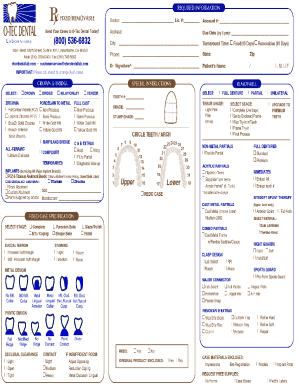
Get Ca O-tec Dental Laboratory Rx Form 2021
How it works
-

Open form follow the instructions
-

Easily sign the form with your finger
-

Send filled & signed form or save
How to fill out the CA O-TEC Dental Laboratory RX Form online
The CA O-TEC Dental Laboratory RX Form is a vital document for facilitating dental lab prescriptions efficiently. This guide will provide you with a clear and accurate process to complete the form online, ensuring all necessary information is submitted correctly.
Follow the steps to fill out the CA O-TEC Dental Laboratory RX Form with ease.
- Press the ‘Get Form’ button to access the CA O-TEC Dental Laboratory RX Form and open it in your editing platform.
- Begin by entering the patient's information in the designated fields. This typically includes the patient's full name, date of birth, and contact details. Ensure all information is accurate to avoid delays.
- Proceed to the section for dental lab details. Here, you will need to provide the name of the laboratory, the dental provider’s details, and any necessary identification numbers.
- Fill in the specifics of the dental services required. Clearly outline the type of appliances or restorations needed, specifying dimensions, materials, and any additional instructions that may assist the lab.
- Review each section for completeness and accuracy. Reconfirm that all entries are filled out as needed, and that there are no missing pieces of vital information.
- Once you have verified that your form is complete, you can save your changes, download the document, print it for your records, or share it with relevant parties.
Take the next step in your dental practice by filling out the CA O-TEC Dental Laboratory RX Form online today.
Get form
Experience a faster way to fill out and sign forms on the web. Access the most extensive library of templates available.
Get This Form Now!
Use professional pre-built templates to fill in and sign documents online faster. Get access to thousands of forms.