Loading
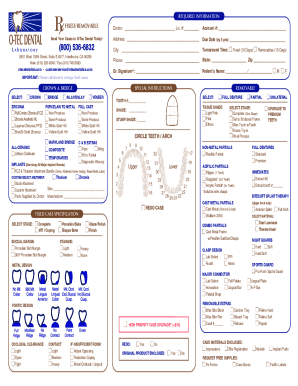
Get Ca O-tec Dental Laboratory Rx Form 2021-2026
How it works
-

Open form follow the instructions
-

Easily sign the form with your finger
-

Send filled & signed form or save
How to fill out the CA O-TEC Dental Laboratory RX Form online
Filling out the CA O-TEC Dental Laboratory RX Form online is a straightforward process that helps streamline your dental laboratory needs. This guide will provide clear steps to ensure you accurately complete the form and submit it without issues.
Follow the steps to effectively fill out the form online.
- Click ‘Get Form’ button to obtain the form and access it in the editor of your choice.
- Begin by entering the doctor's name and license number in the designated fields at the top of the form. Ensure this information is accurate for identification.
- Next, fill in the account number and address of the dental practice. Providing complete address details, including the city, state, and zip code, is essential.
- Indicate the required due date for the case submission. This must be completed by 5 pm to ensure timely processing.
- Select the turnaround time for either fixed or removable cases, and indicate your contact details, including the phone number.
- Sign the form in the doctor's signature field. It's important that this is completed to validate the request.
- Specify the patient's name and gender by filling in the appropriate sections.
- Choose the type of dental work required, such as crowns, bridges, or dentures, by selecting the appropriate box. Be sure to provide additional specifications where necessary.
- If there are any special instructions or additional requests, make sure to fill them in the designated section of the form.
- Review all the entered information for accuracy and completeness before proceeding.
- Once all fields are filled out, you can save your changes, download the form, print it, or share it as needed.
Complete your CA O-TEC Dental Laboratory RX Form online now for a smoother dental experience.