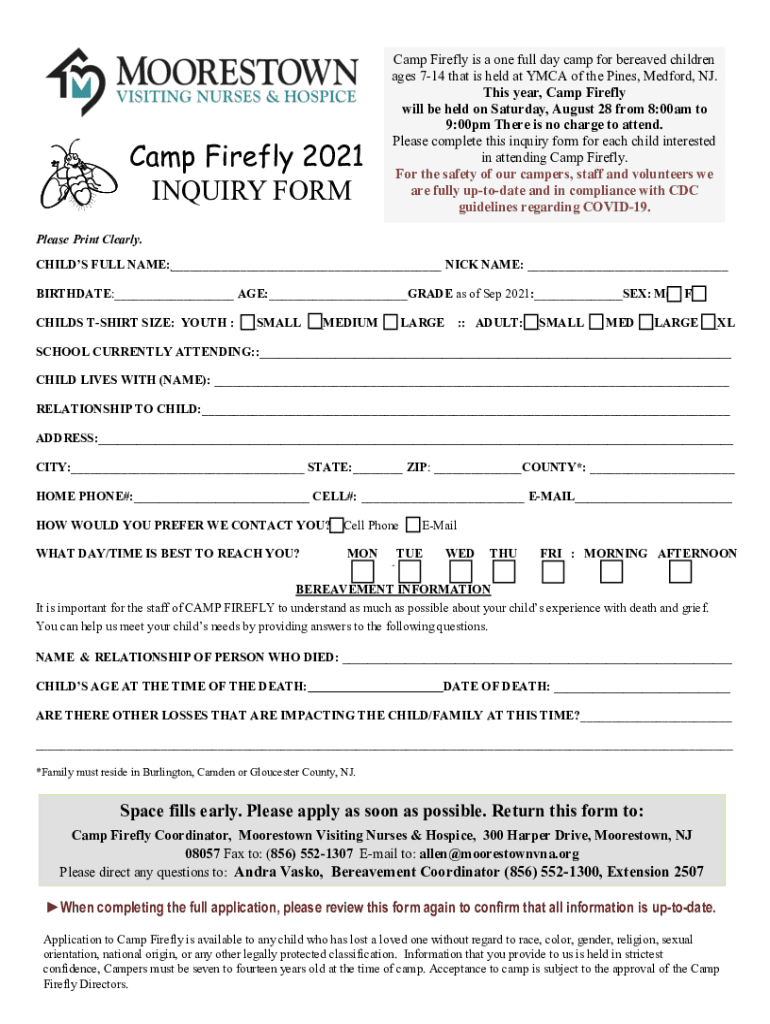
Camp Firefly 2021 INQUIRY Format Firefly is a one full day camp for bereaved children ages 714 that is held at YMCA of the Pines, Medford, NJ. This year, Camp Firefly will be held on Saturday, August.
Loading

Open form follow the instructions

Easily sign the form with your finger

Send filled & signed form or save
How to fill out the NJ Moorestown Camp Firefly Inquiry Form online
Filling out the NJ Moorestown Camp Firefly Inquiry Form is a crucial step in securing a place for your child at this supportive camp for bereaved children. This guide provides clear and detailed instructions to help you complete the form accurately and efficiently.
Follow the steps to complete the inquiry form
- Click the ‘Get Form’ button to access the inquiry form and open it for editing.
- Begin by entering the child's full name and preferred nickname in the designated fields provided at the top of the form.
- Next, provide the child's birthdate, age, current grade as of September 2021, and sex. Use the checkboxes to indicate the child's sex.
- Select the child's t-shirt size from the available options for both youth and adult sizes.
- In the section for school, indicate the current school the child is attending.
- Fill in the name of the person the child lives with, and also specify the relationship to the child.
- Enter the primary address, including city, state, zip code, and county. Ensure that you include the correct county as it must be one of Burlington, Camden, or Gloucester in NJ.
- Input the home phone number, cell phone number, and email address. Select your preferred contact method by checking the appropriate box.
- Provide details on the best day and time to reach you, indicating your preferences accordingly.
- In the bereavement information section, describe the name and relationship of the deceased and their date of death. Also, share any other losses affecting the child or their family.
- After ensuring all information is accurate, save your changes, and choose to download, print, or share the form as needed.
Complete the NJ Moorestown Camp Firefly Inquiry Form online today to secure a meaningful experience for your child.
Experience a faster way to fill out and sign forms on the web. Access the most extensive library of templates available.
Related content
FORM 10-Q. (Mark One). x QUARTERLY REPORT PURSUANT TO SECTION 13 OR 15(d) OF THE...
Although this request took a little longer to complete, within one year of. Raymo's...
Dan Beard Council Camp Friedlander Cincinnati. ... Lego ChiMa 70014 Torolàlana ho an'ny...
Use professional pre-built templates to fill in and sign documents online faster. Get access to thousands of forms.
If you believe that this page should be taken down, please follow our DMCA take down process here.
This form is available in several versions. Select the version you need from the drop-down list below.