Loading
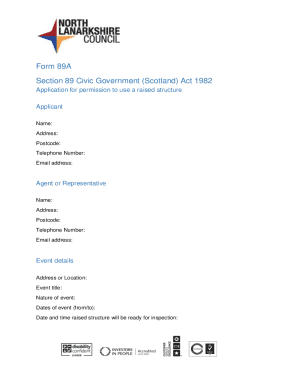
Get Uk Form 89a - North Lanarkshire Council 2020-2026
How it works
-

Open form follow the instructions
-

Easily sign the form with your finger
-

Send filled & signed form or save
How to fill out the UK Form 89A - North Lanarkshire Council online
This guide will help you navigate the process of completing the UK Form 89A for North Lanarkshire Council online. Following these detailed instructions will ensure that you fill out the application correctly and efficiently.
Follow the steps to complete and submit the form online.
- Click ‘Get Form’ button to access the form and open it for completion.
- Begin by entering your information in the Applicant section. Fill in your name, address, postcode, telephone number, and email address.
- If you are using an agent or representative, provide their details in the Agent or Representative section. This includes their name, address, postcode, telephone number, and email address.
- In the Event Details section, specify the address or location of the event, the event title, the nature of the event, and the dates of the event, including the start and end dates. Also, indicate the date and time when the raised structure will be ready for inspection.
- Fill out the Details of Raised Structure section by describing the type of structure (e.g., stage, seating, exhibition area), stating the maximum occupant capacity, and explaining how access to the raised structure will be controlled (e.g., performers only, public access).
- Complete the Declaration section. Indicate your agreement by deleting the inappropriate option and providing your signature and date of signing.
- Ensure that the application is submitted at least 14 days before the raised structure is to be used, and gather the necessary supporting documents.
- Finally, save the changes made to the form. You have the option to download, print, or share the completed form and supporting documents to buildingstandards@northlan.gov.uk.
Begin your application process today by filling out Form 89A online.