Loading
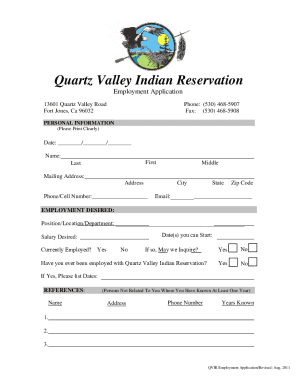
Get Ca Quartz Valley Indian Reservation Employment Application 2011-2026
How it works
-

Open form follow the instructions
-

Easily sign the form with your finger
-

Send filled & signed form or save
How to fill out the CA Quartz Valley Indian Reservation Employment Application online
Filling out the CA Quartz Valley Indian Reservation Employment Application online can be a straightforward process if you follow the steps carefully. This guide provides a clear and comprehensive overview of each section of the application to ensure you complete it accurately and efficiently.
Follow the steps to successfully complete your application.
- Click ‘Get Form’ button to access the employment application and open it for editing.
- Begin by providing your personal information. Fill in the date, your full name (first, middle, and last), mailing address, phone number, and email address. Ensure all details are entered clearly and accurately.
- In the employment desired section, specify the position, location, or department you are applying for, along with your start date and desired salary. Indicate if you are currently employed and whether the employer may inquire about your employment.
- List any previous employment with the Quartz Valley Indian Reservation, including relevant dates.
- Provide reference information for three individuals not related to you, whom you have known for at least one year. Include their names, addresses, phone numbers, and the number of years acquainted.
- In the employment history section, list your last three employers in reverse chronological order. Include names, addresses, phone numbers, wages, titles, and reasons for leaving.
- Complete the educational background section by listing your schools, years attended, whether you graduated, and subjects studied. Include any special subjects or professional research.
- Answer the questions regarding Indian preference, physical conditions, felony convictions, California driver's license status, traffic violations, and veteran status as applicable.
- Review the certification statement at the end of the application. Ensure you understand and agree with the terms before signing and dating the application.
- Once all fields are filled out, save changes to your application. You may then download, print, or share the application as needed.
Start your application process online today!