Loading
Get Ca Employment Application - Tiburon 2019-2026
How it works
-

Open form follow the instructions
-

Easily sign the form with your finger
-

Send filled & signed form or save
How to fill out the CA Employment Application - Tiburon online
Completing the CA Employment Application - Tiburon online is an essential step in your job application process. This guide offers a detailed overview of each section of the application, ensuring you provide all necessary information accurately.
Follow the steps to successfully complete the application online.
- Click ‘Get Form’ button to obtain the form and open it in the editor.
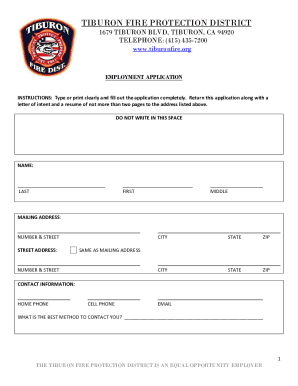
- Enter your personal information in the designated fields, including your last, first, and middle names. Be sure to provide both your mailing address and the street address if they differ.
- Fill in your contact information. Provide your home phone number, cell phone number, and email address. Indicate the best method to contact you clearly.
- Respond to the questions regarding your ability to commit to a 40-hour workweek, provide evidence of your legal right to work in the United States, and your capacity to perform essential job functions. Use specific accommodations where needed.
- Indicate if you have previously applied to or worked for the Tiburon Fire Protection District. If yes, provide relevant details such as the date.
- List any friends or relatives currently working for the Tiburon Fire Protection District, if applicable.
- Complete the references section by listing three individuals who can provide insight into your work performance. Include their names, occupations, and phone numbers.
- Detail your educational background, including all relevant institutions, degrees earned, and graduation years. If applicable, indicate if you have obtained a GED.
- Document your employment history, starting with your current or most recent employer. Include their contact details, supervisor name, the type of business, your employment duration, and the reason for leaving.
- If you are fluent in any languages other than English, specify them accordingly.
- List any relevant certifications, training, or experiences that pertain to the position you are applying for. Attach copies of your credentials as necessary.
- Read and sign the release statement where indicated. Ensure you date your signature to validate your application.
- Once completed, review all sections for accuracy and completeness. Save your changes, then download, print, or share the form as needed.
Complete your application online and take the next step toward joining the Tiburon Fire Protection District.