Loading
Get Ca American Guard Services Application
How it works
-

Open form follow the instructions
-

Easily sign the form with your finger
-

Send filled & signed form or save
How to fill out the CA American Guard Services Application online
Completing the CA American Guard Services Application online is a key step in your journey toward a potential career in security services. This guide provides clear, step-by-step instructions to help you navigate through each section of the application efficiently.
Follow the steps to complete your application with ease.
- Click 'Get Form' button to access the CA American Guard Services Application and open it in the editor.
- Begin by filling in your personal information, including today's date, your name, Social Security number, address, phone numbers, and city/state/zip code. Ensure that you provide accurate contact information.
- Indicate whether you are 18 years or older and a U.S. citizen. If you are not a U.S. citizen, input your Alien or Admission Number where prompted.
- Specify the desired employment details such as the date you can start, the position you wish to apply for, and your salary expectations. Additionally, answer if you are currently employed, and if so, whether the application can inquire with your current employer.
- Complete the education section by indicating the highest grade completed for each educational category, stating the names of the institutions, and confirming graduation status where applicable.
- Provide your military information, if relevant, including branch, length of service, final rank, and discharge status.
- List your previous employment over the last ten years, including details such as dates, job titles, reasons for leaving, and whether prior supervisors can be contacted.
- Enter references by providing the full names, phone numbers, addresses, and relationships of at least three individuals who are not relatives or employers.
- Detail any professional licenses or permits you have held, including specifying whether there have been any suspensions, revocations, or denials.
- Complete the criminal record section, declaring any convictions, and provide clarity regarding bonding if applicable.
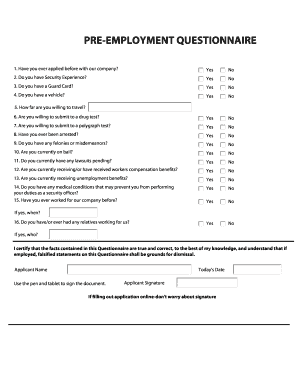
- After completing the questionnaire, make sure to certify that the information provided is true and correct to the best of your knowledge.
- Sign the document by using the online signature tool. If you're completing the application online, there's no need to worry about physical signatures.
- Finally, submit your application electronically or save it to your computer and follow the provided instructions to send it to the appropriate email address based on your location.
Start filling out your CA American Guard Services Application online today!
All professional security guards that work in the state of California must be licensed and registered with the Bureau of Security and Investigative Services ( BSIS ).