Loading
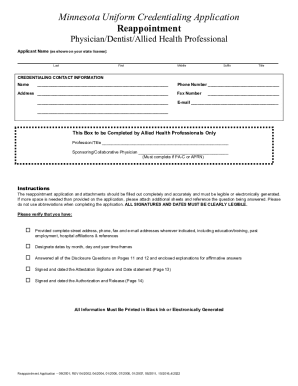
Get Mn Uniform Credentialing Application 2022-2026
How it works
-

Open form follow the instructions
-

Easily sign the form with your finger
-

Send filled & signed form or save
How to fill out the MN Uniform Credentialing Application online
Filling out the Minnesota Uniform Credentialing Application online is an essential step for health professionals seeking reappointment. This guide provides clear instructions for each section of the form to help ensure a smooth process.
Follow the steps to complete the application accurately and efficiently.
- Press the ‘Get Form’ button to access the MN Uniform Credentialing Application and open it in your online editor.
- Begin by entering your full name as it appears on your state license, including your last, first, middle name, suffix, and title.
- Enter your credentialing contact information, including the name, address, phone number, fax number, and email address.
- Complete the section designated for allied health professionals, if applicable, by providing your profession/title and sponsoring physician's name.
- Follow the instructions carefully to ensure you provide complete and legible information for all sections, which include personal data, practice locations, hospital affiliations, and employment history.
- Answer all the disclosure questions thoroughly, and if any questions require explanations for affirmative answers, provide additional details as necessary.
- Review the required signatures and dates, ensuring they are clearly legible, especially in the attestation and authorization sections.
- After completing the form, you can save your changes, download the application as a PDF, print it out, or share it as required.
Start completing your MN Uniform Credentialing Application online to streamline your credentialing process.