Loading
Get Ca Dmv Ol 29 I 2022-2026
How it works
-

Open form follow the instructions
-

Easily sign the form with your finger
-

Send filled & signed form or save
How to fill out the CA DMV OL 29 I online
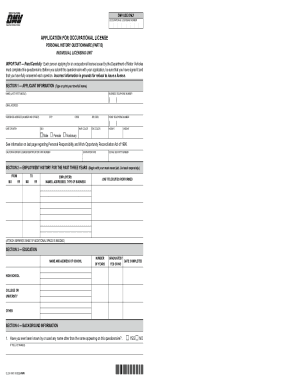
Filling out the CA DMV OL 29 I form online is an important step in applying for an occupational license. This guide provides a clear and comprehensive overview of each section of the form, ensuring you complete it with confidence and accuracy.
Follow the steps to seamlessly complete your application.
- Click ‘Get Form’ button to access the form and open it in the designated editor.
- Begin with Section 1, where you will provide your personal information. Enter your true full name, business telephone number, email address, residence address, date of birth, and other identifying details. Ensure to specify your sex, hair color, eye color, height, and weight accurately.
- Proceed to Section 2 to outline your employment history for the past three years. List your employers, their addresses, the type of business, job titles, and duties performed. If additional space is needed, use a separate sheet.
- In Section 3, provide information about your education. Include the names and addresses of schools attended, the number of years spent in each, whether you graduated, and the date of completion.
- Move on to Section 4 for background information. Answer all questions truthfully regarding previous names used, history of licenses, civil judgments, and any criminal charges. Specific details should be provided where required, such as names, license numbers, and descriptions of offenses.
- Complete Section 5 by detailing any misdemeanor or felony convictions. Include the date of conviction, offense, court of jurisdiction, and the disposition of the offense. Clear and complete information is vital at this stage.
- In Section 6, you will need to certify your information. Initial where indicated, sign, and date the application to verify the accuracy of your details.
- Review your completed form to ensure all information is filled out correctly. Once satisfied, you can save changes, download the form, print it, or share it as necessary for submission.
Submit your CA DMV OL 29 I application online today to ensure a smooth licensing process.
1Apply for the Instruction Permit You must apply in person at your local DMV office. Currently, only four offices accept walk-ins as well as appointments; the rest are by appointment only. Make an appointment online or by calling the DMV at 1-800-777-0133.