How it works
  • Open form

    Open form follow the instructions

  • Easily sign form

    Easily sign the form with your finger

  • Share form

    Send filled & signed form or save

How to fill out the Canada IMM 5009 E online

Filling out the Canada IMM 5009 E form online is an essential step for users needing to submit their application efficiently. This guide provides clear and detailed instructions to help you navigate and complete the form accurately.

Follow the steps to fill out the Canada IMM 5009 E form online.

  1. Click the ‘Get Form’ button to access the form and open it in your preferred editor.
  2. Begin by entering your personal information in the designated fields. Make sure to provide your full name as it appears on official documents, including any variations in spelling.
  3. Proceed to fill in your date of birth and contact information. Ensure that you format your contact details correctly to avoid any issues with communication later.
  4. Complete the sections regarding your immigration status and current address. It is crucial to be accurate, as this information will affect your application process.
  5. Review the eligibility criteria and answer any questions related to your background. Be honest and thorough in your responses, as this will aid in processing your application.
  6. After filling in all required information, carefully review your answers for accuracy and completeness. Check for any missing fields that may delay your application.
  7. Once satisfied with your entries, you can save your changes, download, print, or share the completed form as needed.

Start completing your documents online today for a smooth submission experience!

Get form

Experience a faster way to fill out and sign forms on the web. Access the most extensive library of templates available.

Related content

Contact - ICE

Aug 18, 2022 — Mailing Address: U.S. Immigration and Customs Enforcement, Freedom of...

Learn more
Bookmark File PDF Instruction Guide Citizenship...

above post. IMM 5009E: Verification of Status or. Replacement of an … This form is made...

Learn more
AFP Conversion and Indexing Facility: User's Guide

Combine variable data with electronic forms, electronic signatures, and images...

Learn more
Questions & Answers

Get answers to your most pressing questions about US Legal Forms API.

Contact support

What document is proof of status?

A Verification of Status document will contain information that appeared on your original Record of Landing, Confirmation of Permanent Residence, Work Permit, Study Permit or other immigration documents.

Documentation for Proof of Status in Canada Canadian passport or. Canadian birth certificate and government-issued photo identification or. Canadian citizenship certificate/card + government-issued photo identification/valid international passport.

If you lose your CoPR document or your Record of Landing you will need to apply for a Verification of Landing document. This process may take some time so it's a good idea to plan carefully if you need a replacement.

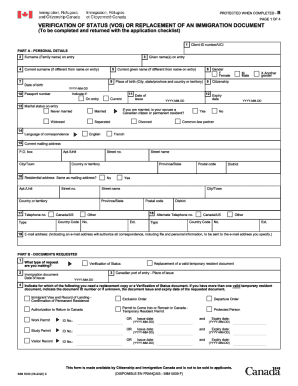
(DISPONIBLE EN FRANÇAIS - IMM 5009 F) This form is made available by Immigration, Refugees and Citizenship Canada and is not to be sold to applicants. VERIFICATION OF STATUS (VOS) OR REPLACEMENT OF AN IMMIGRATION DOCUMENT. (To be completed and returned with the application checklist)

To replace your lost, stolen, or damaged Confirmation of Permanent Residence document (IMM 5292 or IMM 5688) you need to complete and submit a IMM 5009 Application for Verification of Status (VOS) form and submit the required accompanying documentation.

A PR certificate is issued upon successful application for your permanent residency. The Department of Home Affairs (DHA) will only issue you this certificate once, therefore obtaining a certified copy and looking after your original copy is very important.

For example: 1 – 3 business days to respond to an approved applicant's email to activate the PR Confirmation Portal and 5 – 10 business days to issue the eCOPR after uploading the PR card photo and residential address in Canada.

Once you become a permanent resident, we'll make an e-COPR available to you in the portal to provide proof of your new status in Canada. In this portal, we'll also ask you to provide a photo so we can start the process of issuing your first PR card. You don't need to apply for your first PR card.

Get This Form Now!

Use professional pre-built templates to fill in and sign documents online faster. Get access to thousands of forms.

If you believe that this page should be taken down, please follow our DMCA take down process here.

Canada IMM 5009 E Form

This form is available in several versions. Select the version you need from the drop-down list below.

Get Canada IMM 5009 E