Loading
Get Ca Inf 70 2011-2026
How it works
-

Open form follow the instructions
-

Easily sign the form with your finger
-

Send filled & signed form or save
How to fill out the CA INF 70 online
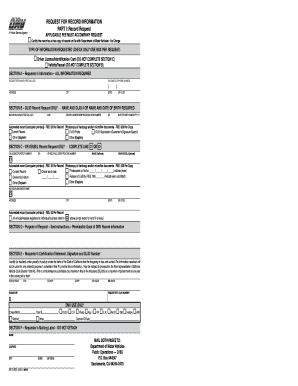
The CA INF 70 form, known as the request for record information, is essential for individuals seeking specific records related to driver licenses or vehicle/vessel registrations in California. This guide provides clear, step-by-step guidance on how to complete the form online, ensuring a seamless process for all users.
Follow the steps to successfully complete the CA INF 70 form online.
- Click the ‘Get Form’ button to access the CA INF 70 form and open it in your preferred editing tool.
- Begin by selecting the type of information you are requesting. You can only choose one type per request, either Driver License/Identification Card or Vehicle/Vessel. Check the appropriate box.
- In Section A, input the requester's information by providing the full name, physical address including city, state, zip code, and a daytime telephone number.
- If requesting information regarding a Driver License/Identification Card, complete Section B by supplying the individual's name and either their DL/ID number or date of birth.
- For Vehicle/Vessel registrations, fill out Section C. Provide the CA license plate or vehicle identification number, and if applicable, the make and year model.
- In Section D, outline the purpose of your request by indicating a permissible use under federal law, ensuring you select one that applies to your situation.
- Section E requires the requester's certification statement, where you must provide the city, county, and state where the form was completed, the date it was completed, and also sign the form while providing your DL/ID number.
- Lastly, complete Section F with your name and mailing address for the return label. Ensure all fields are filled out accurately before proceeding.
- Review all entered information for accuracy, then save changes to your final document, making sure to download, print, or share it as needed. Mail both parts of the form to the DMV at the provided address, along with the applicable fees.
Complete your CA INF 70 form online today for efficient processing of your record request.
Steps to Removing Points From a California Driving Record Wait for the Court Notification. If you are eligible to take a defensive driving course the court will notify you. ... Sign Up for a California-approved Defensive Driving Course. ... Complete the Course and Pass the Final Exam. ... Send the Course Completion Report to the DMV.