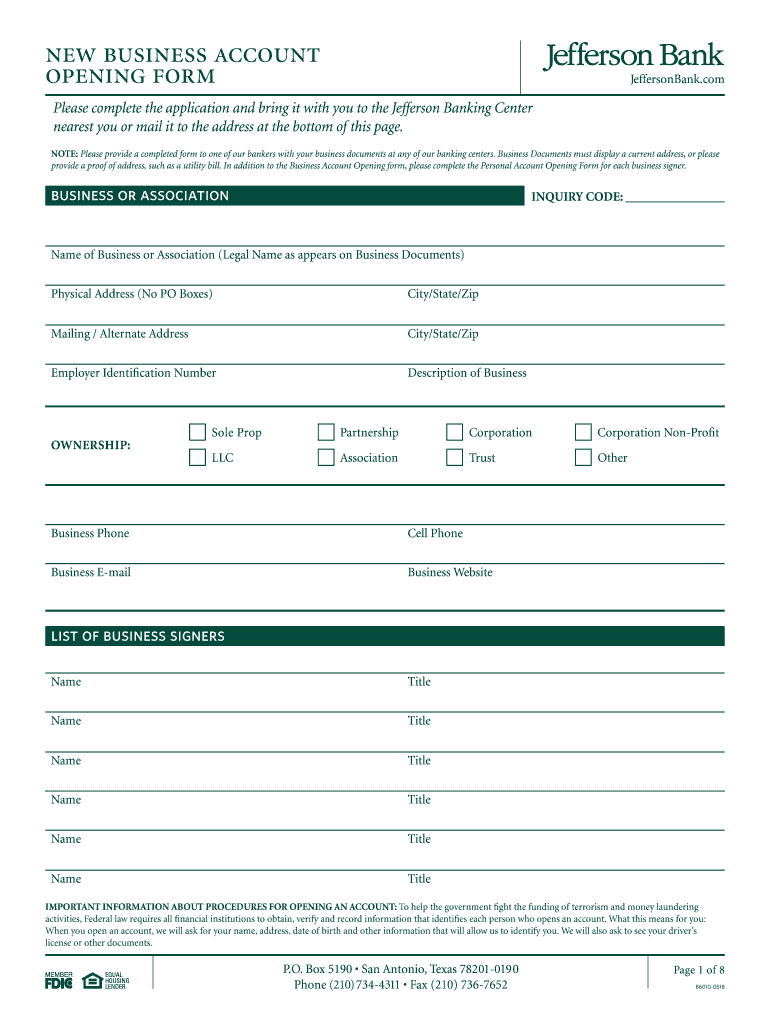
New business account opening formJeffersonBank.complete complete the application and bring it with you to the Jefferson Banking Center nearest you or mail it to the address at the bottom of this page. NOTE:.

Open form follow the instructions

Easily sign the form with your finger

Send filled & signed form or save
How to fill out the Jefferson Bank B6010 online
The Jefferson Bank B6010 form is essential for opening a new business account. This guide will walk you through the process of completing the form online, ensuring you have all the necessary information and documentation ready.
Follow the steps to complete the form accurately.
- Click ‘Get Form’ button to obtain the form and open it in your preferred editor.
- Enter the legal name of your business or association as it appears on your business documents in the appropriate field.
- Provide the physical address of your business. Ensure you do not use a P.O. Box for this section.
- Give a brief description of your business to provide context.
- Provide your business phone number, cell phone, business email, and website.
- List the names and titles of all business signers, ensuring each name is clearly associated with their role.
- Review the information you have entered to confirm accuracy. Ensure that you have all required documentation prepared according to your business structure.
Start your business account opening process by filling out the Jefferson Bank B6010 online.
Experience a faster way to fill out and sign forms on the web. Access the most extensive library of templates available.
Related content
40,700 2,467 Meditrust 71,300 2,487 Mellon Bank Corp. 45,900 2,467 PNC Bank Corp....
The City Bank movements of the 19, ; 0- ~.2 . ... 1878 New B6010 1 — Northern Pacific:...
Active PTIs Approved since 1997 Sorted by Company Company SRN Address City 2600 WBB, LLC...
Get answers to your most pressing questions about US Legal Forms API.
Why was Jefferson against a national bank?
Thomas Jefferson was afraid that a national bank would create a financial monopoly that might undermine state banks and adopt policies that favored financiers and merchants, who tended to be creditors, over plantation owners and family farmers, who tended to be debtors.
Who owns Jefferson Bank and Trust?
Retaining local ownership And a singular vision Over the past six decades, three generations of the Lewis family have led the bank as chairman.
Is Jefferson Bank a local bank?
The Jefferson Bank is a small community bank that serves the Mississippi Delta communities of West Central Mississippi and surrounding area.
Is Jefferson Bank FDIC insured?
Jefferson Bank, a division of The Central Trust Bank. Member FDIC.
Who owns Jefferson Bank?
Retaining local ownership And a singular vision Over the past six decades, three generations of the Lewis family have led the bank as chairman.
Does Central Bank own Jefferson Bank?
Jefferson Bank, a division of The Central Trust Bank. Member FDIC. Equal Housing Lender.
What is Jefferson Bank auto payoff phone number?
Telephone No: (877) 276-5554, Fax No.: (512) 475-1313.
How big is Jefferson Bank?
Jefferson Bank (TX) is headquartered in San Antonio and is the 39th largest bank in the state of Texas. It is also the 404th largest bank in the nation. It was established in 1946 and as of June of 2022, it had grown to 367 employees at 12 locations.
Use professional pre-built templates to fill in and sign documents online faster. Get access to thousands of forms.
If you believe that this page should be taken down, please follow our DMCA take down process here.