Loading
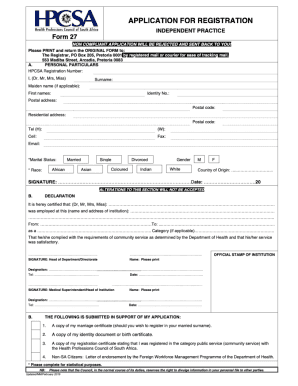
Get Za Hpcsa Form 27 2019-2026
How it works
-

Open form follow the instructions
-

Easily sign the form with your finger
-

Send filled & signed form or save
How to fill out the ZA HPCSA Form 27 online
Filling out the ZA HPCSA Form 27 online can be a straightforward process when approached step-by-step. This guide aims to provide you with clear instructions and helpful information to ensure that you complete this document accurately and efficiently.
Follow the steps to successfully complete the ZA HPCSA Form 27.
- Click ‘Get Form’ button to access the form and open it in your preferred editing tool.
- Begin by filling in your personal information. This typically includes fields for your full name, contact details, and registration number. Ensure that all entries are accurate to avoid delays.
- Next, provide professional details. Indicate your qualifications, registration category, and any relevant experience that supports your application. Be thorough and precise.
- Proceed to the declaration section. Read the statements carefully and check the appropriate boxes to signify your agreement. This is a crucial part of the form.
- Finally, review all entries for completeness and accuracy. Make any necessary changes before saving your form. Once satisfied, you can choose to download, print, or share the completed document.
Complete your documents online today for a smooth and efficient filing process.
How to register for HPCSA portal Visit .hpcsa.co.za clicking on the 'Online registration' tab in the navigation bar. Create an HPCSA account by entering your 13-digit ID number or passport number. Using your ID Number as the Username and Password created in step 2, Login and Renew.