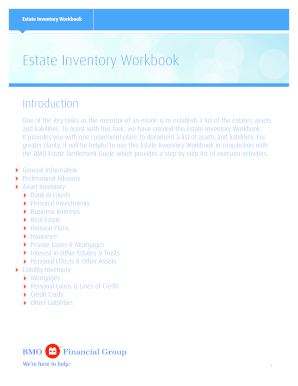
This task, we have created this Estate Inventory Workbook. It provides you with one convenient place to document a list of assets and liabilities. For greater clarity, it will be helpful to use this Estate Inventory Workbook in conjunction with the BMO Estate Settlement Guide which provides a step by step list of executor activities. General Information Professional Advisors Asset Inventory Bank Accounts Personal Investments Business Interests Real Estate Pension Plans Insurance Private Loans & .
Open form follow the instructions
Easily sign the form with your finger
Send filled & signed form or save
How to fill out the BMO Estate Inventory Workbook online
The BMO Estate Inventory Workbook is a crucial tool for executors to compile and document an estate's assets and liabilities. This guide provides clear, easy-to-follow instructions on how to complete the workbook efficiently and accurately online.
Follow the steps to complete the BMO Estate Inventory Workbook online
- Click ‘Get Form’ button to download the BMO Estate Inventory Workbook and open it in your preferred online editor.
- Begin by filling out the general information section. Enter the name and contact information of the executor(s), as well as key details about the deceased person, including their name, date of birth, date of death, address, and social insurance number.
- In the next section, list the relatives and dependants of the deceased. For each individual, provide their name, relationship to the deceased, age, and contact information, indicating if they are dependent.
- Proceed to document any professional advisors associated with the estate such as accountants and lawyers. Fill in their contact details and any relevant notes about their involvement.
- Move to the asset inventory section. Here, categorize the estate's assets including bank accounts, personal investments, business interests, real estate, pension plans, insurance, private loans, and personal effects. For each asset, provide detailed information including contact information, market values, and notes.
- Capture the estate's liabilities in the liability inventory section. List all liabilities including mortgages, personal loans, credit cards, and any other financial obligations along with their respective balances.
- After filling out the entire workbook, review all entries for completeness and accuracy. Save your changes, and decide if you want to download, print, or share the completed document.
Start completing the BMO Estate Inventory Workbook online today!
Experience a faster way to fill out and sign forms on the web. Access the most extensive library of templates available.
Related content
Nov 26, 2024 — The 310 Grand Concourse mortgage loan is evidenced by three (3)...
” - Career Inventory Worksheet. The purpose of this activity is to help you determine...
Get answers to your most pressing questions about US Legal Forms API.
How do you fill out an inventory sheet?
To fill out an inventory sheet, start by outlining the types of assets you wish to document, such as real estate, vehicles, and personal items. Clearly detail each asset's name, description, and estimated value. The BMO Estate Inventory Workbook serves as an excellent resource for this task, providing a structured format that ensures all important information is captured comprehensively. This organized inventory is essential for effective estate management and planning.
Which of the following assets do not go through probate?
Assets such as life insurance proceeds and retirement accounts typically do not go through probate, as they have designated beneficiaries. Additionally, assets held in a trust or jointly owned property may also bypass this process. Understanding these distinctions is crucial, and the BMO Estate Inventory Workbook can help clarify which assets require probate considerations. This knowledge allows for more efficient estate planning and execution.
How to fill out inventory for decedent's estate?
To fill out an inventory for a decedent's estate, collect all pertinent information about the deceased's assets and liabilities. Document each asset's description, value, and location accurately. Utilizing the BMO Estate Inventory Workbook will aid you in this process, allowing you to categorize assets effectively while reducing potential oversight during inventory preparation. This systematic approach promotes a smoother estate settlement.
How do you fill out an estate inventory?
Filling out an estate inventory involves gathering all relevant financial documents and itemizing each asset. Start by listing tangible assets like property and vehicles, then add intangible assets such as stocks and bonds. The BMO Estate Inventory Workbook simplifies this process by providing clear sections for documentation, reducing the chance of missing important details. This organized method ensures you have a comprehensive overview necessary for estate management.
What is an example of inventory of estate?
An example of an inventory of estate includes a detailed list of assets owned by an individual at the time of their death. This can consist of real estate, bank accounts, personal belongings, and investments. Using the BMO Estate Inventory Workbook can streamline this process, ensuring you account for all valuable items efficiently. It helps you clearly document assets, making it easier during probate.
How do you fill out inventory for decedent's estate in NC?
In North Carolina, filling out an inventory for a decedent's estate involves listing all assets in a structured format. You need to provide information about each asset's value and location. The BMO Estate Inventory Workbook makes it easier by offering North Carolina-specific guidelines to help you complete this task accurately.
What does inventory of the estate mean?
Inventory of the estate refers to the complete list of assets owned by a deceased individual. This includes real estate, personal belongings, and financial accounts. Having a thorough inventory is crucial for settling the estate, and utilizing resources like the BMO Estate Inventory Workbook can streamline this vital process.
How do you fill out inventory for decedent's estate?
Filling out inventory for a decedent's estate begins with collecting detailed information about each asset. Use the BMO Estate Inventory Workbook to document asset descriptions, conditions, and values. This workbook serves as a reliable tool to ensure you capture everything needed for legal and tax purposes.
How to list estate assets?
Listing estate assets involves creating a comprehensive record of everything owned by the deceased. Begin by cataloging each item and its corresponding value. It might be beneficial to use the BMO Estate Inventory Workbook, as it provides structured templates to keep your information organized and clear.
How do you inventory an estate sale?
To inventory an estate sale, start by gathering all items within the estate. Organize items into categories such as furniture, collectibles, and valuables. Then, assign values to each item based on appraisals or market research. Using the BMO Estate Inventory Workbook can simplify this process, helping you document details efficiently.
Use professional pre-built templates to fill in and sign documents online faster. Get access to thousands of forms.
If you believe that this page should be taken down, please follow our DMCA take down process here.