Loading
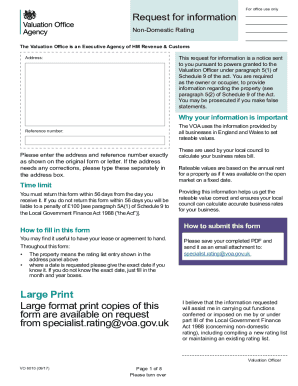
Get Uk Vo 6010 2017-2026
How it works
-

Open form follow the instructions
-

Easily sign the form with your finger
-

Send filled & signed form or save
How to fill out the UK VO 6010 online
Filling out the UK VO 6010 form is essential for providing accurate information regarding non-domestic property rates. This guide will help you navigate each section of the form effectively, ensuring that your submission is complete and precise.
Follow the steps to complete the form accurately.
- Press the 'Get Form' button to access the UK VO 6010 form and open it in your preferred digital format.
- Enter the required address and reference number in the designated fields, ensuring this information matches the original document.
- Complete Part A by answering questions related to the property's current occupier, the address verification, and any relevant licensing conditions.
- Provide the current use of the property by selecting from the available options in question 5.
- In Part B, you will need to supply trading receipts for the last three financial years or since you began occupying the property, making sure to specify the number of weeks for each reporting period.
- Answer the specific questions in Part C about catering operations or rental income from other parts of the property.
- If applicable, complete Part D, answering questions about your tenancy, lease, or agreement, and follow up with Part E regarding the current annual rent and conditions.
- In Part F, read the declaration carefully and confirm that the information provided is truthful and accurate. Add your signature, printed name, position, and contact details.
- Finally, save your completed form and return it as an email attachment to the specified address or follow the instructions for a physical submission.
Start filling out the UK VO 6010 form online today for accurate property rate assessments.