Loading
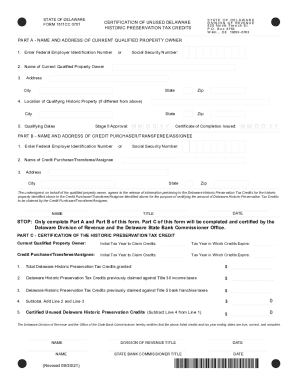
Get De Form 1811cc 0701 2021-2026
How it works
-

Open form follow the instructions
-

Easily sign the form with your finger
-

Send filled & signed form or save
How to use or fill out the DE Form 1811CC 0701 online
Completing the DE Form 1811CC 0701 online is essential for documenting Delaware Historic Preservation Tax Credits. This guide provides step-by-step instructions to help users navigate each section of the form with ease.
Follow the steps to complete your form efficiently.
- Press the ‘Get Form’ button to obtain the form and open it in the editor.
- In Part A, input the Federal Employer Identification Number or Social Security Number of the current qualified property owner in the designated field.
- Enter the name of the current qualified property owner in the next field.
- Provide the address, including city, state, and zip code, of the current qualified property owner.
- If the location of the qualifying historic property differs from the owner's address, enter the relevant city in the provided space.
- Specify the qualifying dates by entering the date of Stage II approval and the date of certificate completion in the designated fields.
- Move to Part B and repeat the process by entering the Federal Employer Identification Number or Social Security Number for the credit purchaser, transferee, or assignee.
- Fill out the name of the credit purchaser, transferee, or assignee in the next field.
- Complete the address section for the credit purchaser, including city, state, and zip code.
- Before finalizing the form, ensure that both parts A and B are completed accurately.
- The form must be signed by the current qualified property owner or an approved representative, consenting to the release of information.
- Once all sections are filled out, save your changes, and proceed to download, print, or share the form as needed.
Start completing your documents online today!