Loading
Get Il Cpd-22.122 2019-2026
How it works
-

Open form follow the instructions
-

Easily sign the form with your finger
-

Send filled & signed form or save
How to fill out the IL CPD-22.122 online
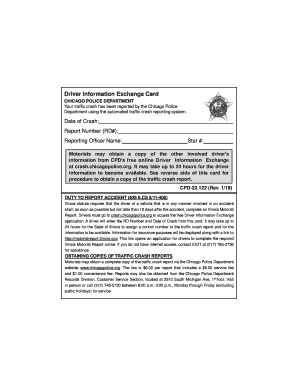
The IL CPD-22.122 form serves as an essential component in reporting traffic accidents in Illinois. This guide provides you with a clear and supportive step-by-step approach to easily complete the form online.
Follow the steps to complete the IL CPD-22.122 form online.
- Click ‘Get Form’ button to access the form and open it in your online editor.
- Locate the section for 'Date of Crash'. Enter the specific date when the accident occurred.
- Find the field labeled 'Report Number (RD#)'. Enter the report number provided on the card.
- In the section for 'Reporting Officer Name', input the name of the officer who reported the crash.
- You will see a field for 'Star #'. Enter the star number of the reporting officer as indicated on the card.
- Once all required fields are filled out, review your entries for accuracy.
- Finally, you can save your changes, download a copy, print the form, or share it as needed.
Complete your documents online for a smoother experience.
Drop off in person at the Police Records Customer Service Section, located at 3510 S. Michigan Ave. Service hours are 8:30 a.m. to 3:30 p.m., Monday through Friday (excluding public holidays). By facsimile to (312) 745-6948.