Loading
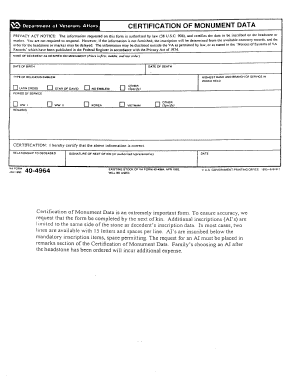
Get Va 40-4964 1990-2026
How it works
-

Open form follow the instructions
-

Easily sign the form with your finger
-

Send filled & signed form or save
How to fill out the VA 40-4964 online
Filling out the VA 40-4964 form online can be a straightforward process with the right guidance. This guide provides detailed instructions to help users complete the form accurately and efficiently, ensuring that they have the necessary support for their needs.
Follow the steps to successfully complete the VA 40-4964 form online.
- Click the ‘Get Form’ button to access the VA 40-4964 form online.
- Once the form loads, review the introductory information carefully to understand the purpose of the document and any specifics regarding its usage.
- Begin filling out your personal identification details in the designated fields, including full name, address, and contact information. Ensure all entries are accurate and up to date.
- In the next section, provide detailed information about the veteran’s service. This may include service numbers, dates of service, and any relevant branch affiliation.
- If applicable, include any information regarding beneficiaries. Clearly list the names and relationships of each individual who may be affected by the outcome of the form.
- Review all completed sections for accuracy, ensuring that no fields are left blank unless specified otherwise.
- After confirming that all information is correct, proceed to save your changes. You may also choose to download, print, or share the completed form as needed.
Take the next step and complete your VA 40-4964 form online today.
Claiming a government medallion for your private marker involves completing VA form 40-4964. This form must be accompanied by documentation proving the veteran's military service. Once submitted, the VA will review your application and, if approved, send you the medallion for affixation. This official recognition will further honor the veteran's sacrifice and service.