Loading
Get Canada Dcc1698 2015-2026
How it works
-

Open form follow the instructions
-

Easily sign the form with your finger
-

Send filled & signed form or save
How to fill out the Canada DCC1698 online
This guide provides step-by-step instructions for completing the Canada DCC1698 form online. By following these detailed steps, users can ensure they provide accurate and complete information to facilitate the application process.
Follow the steps to fill out the Canada DCC1698 form accurately.
- Press the ‘Get Form’ button to obtain the form and open it in the suitable editor.
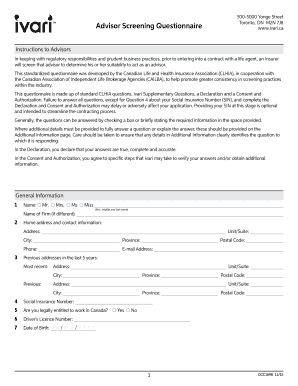
- Begin by filling in your personal information, including your full name, address, city, province, phone number, and email address. Ensure accuracy as this information is vital for identification.
- Proceed to indicate whether you are legally entitled to work in Canada by selecting 'Yes' or 'No'.
- Provide your driver’s license number and date of birth in the designated fields.
- Next, enter your business information, which includes your business address, email, phone number, and website URL, if applicable.
- List any other business or personal names you have used in the financial services sector. This is important for establishing your background.
- Provide information regarding your last five business addresses and your educational qualifications, including institutions attended and degrees earned.
- Complete the section on regulatory compliance by indicating your current licenses and registrations, including any interruptions in licensing.
- Fill out the supplementary questions relating to license sponsorship and past sponsorship experiences, should they apply to you.
- Finally, read and sign the declaration and consent sections, affirming that your responses are accurate and authoritative. Afterward, save your changes, download, print, or share the completed form as needed.
Complete your documents online to ensure a smooth process.
A withdrawal can be requested by completing sections 1 , 5(a) & 7 of the Policy Service form and signing on page 4.