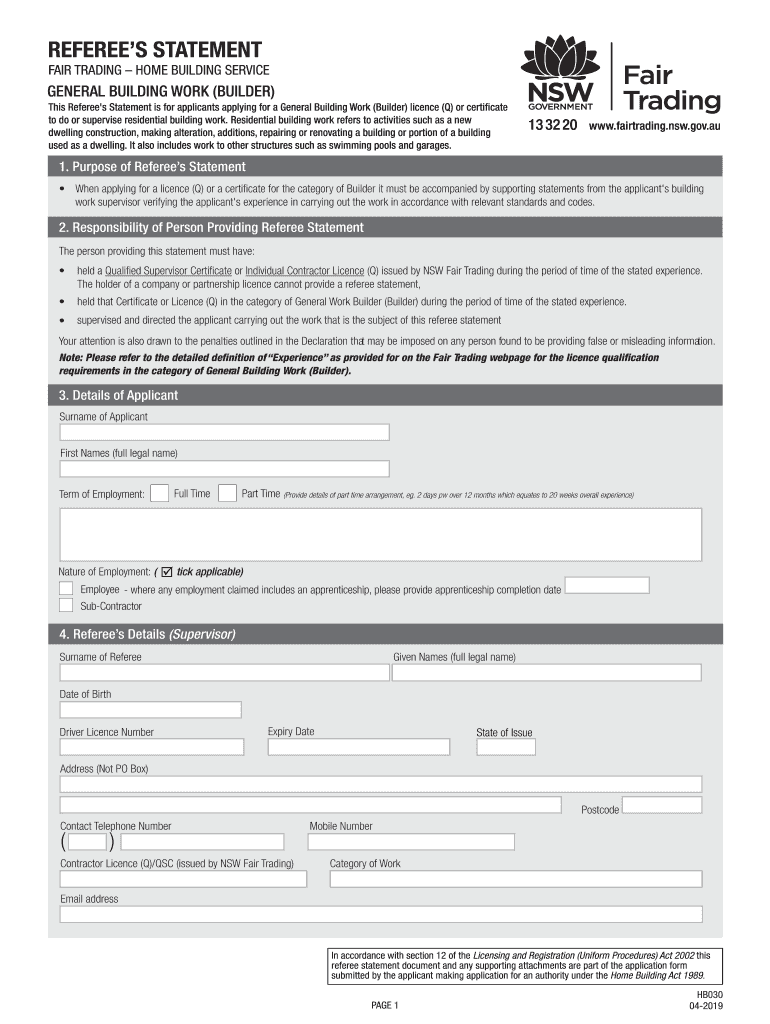
REFEREES STATEMENT FAIR TRADING HOME BUILDING SERVICEGENERAL BUILDING WORK (BUILDER) This Referee 's Statement is for applicants applying for a General Building Work (Builder) licence (Q) or certificate.
Loading

Open form follow the instructions

Easily sign the form with your finger

Send filled & signed form or save
How to fill out the AU HB030 online
The AU HB030 form is essential for individuals seeking a General Building Work (Builder) licence or certificate. This guide provides step-by-step instructions to help you fill out the form correctly and efficiently.
Follow the steps to complete the AU HB030 form online.
- Click ‘Get Form’ button to obtain the AU HB030 form and open it in your preferred editor.
- Begin by providing the applicant's details. Enter the surname and full legal name of the applicant. Specify the term of employment by selecting either 'Full Time' or 'Part Time'. If part-time, provide specifics regarding the arrangement.
- Indicate the nature of employment by ticking the appropriate boxes for 'Employee' or 'Sub-Contractor'. If applicable, provide details regarding any apprenticeship completion dates.
- Enter the referee's details, including the surname, full legal name, date of birth, driver licence number, and its expiry date. Provide the address, postcode, contact telephone number, mobile number, contractor licence number, category of work, and email address of the referee.
- Fill in the employer details. Enter the name of the employer, their address, postcode, contact telephone number, mobile number, contractor licence number, category of work, and email address.
- In the referee's declaration section, the referee must declare their qualifications and confirm their supervision of the applicant's work experience. They will need to sign and date the declaration.
- The applicant's declaration requires the applicant to confirm they have reviewed the referee's statement and the accompanying 'Applicant's On Site Building Experience' forms. The applicant must also sign and date this section.
- Complete the 'Applicant's On Site Building Experience' section by detailing the sites where the applicant has worked. For each site, provide the address, approval number, builder's name and license number, start and finish dates, and tick the applicable work categories.
- Once all sections are completed, review the entire form for accuracy. Save any changes made. Users can then download, print, or share the form as needed.
Complete and submit the AU HB030 form online to ensure efficient processing of your application.
Experience a faster way to fill out and sign forms on the web. Access the most extensive library of templates available.
Related content
Jan 15, 1981 — OJ:aU. ~~QUOts. __ ~bgLe __ ~b~~log. _ _a~~2UD~-~L--Dli!gQtia~le_~g~gf...
Molecular and morphological assessment of Australia's most endangered snake, Hoplocephalus...
The RMA form • Harvestaire reserves the right to change prices without can be accessed...
Use professional pre-built templates to fill in and sign documents online faster. Get access to thousands of forms.
If you believe that this page should be taken down, please follow our DMCA take down process here.