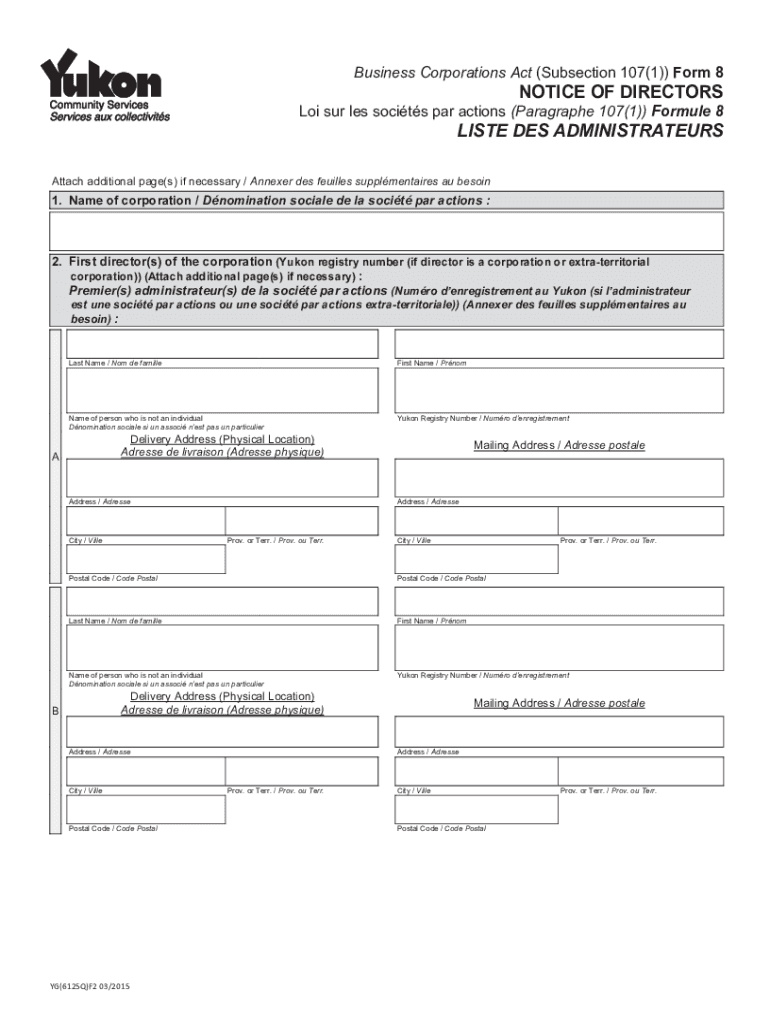
Business Corporations Act (Subsection 107 1)) Form 8NOTICE OF Directors SUR LES soc its par actions (Paragraph 107 1)) Formula 8LISTE DES ADMINISTRATEURSAttach additional page s) if necessary.
Loading

Open form follow the instructions

Easily sign the form with your finger

Send filled & signed form or save
How to fill out the Canada Yukon YG(6125Q)F2 online
Filling out the Canada Yukon YG(6125Q)F2 is a crucial step in registering your corporation and providing necessary details about its directors. This guide is designed to offer clear, step-by-step instructions for completing this form online, ensuring that users can navigate the process with confidence.
Follow the steps to effectively complete the YG(6125Q)F2 form online.
- Press the ‘Get Form’ button to access the necessary form and open it in your preferred editor.
- Enter the name of the corporation in the 'Name of corporation' field.
- List the first directors of the corporation. Provide their last names, first names, and Yukon registry number if applicable. If there are more directors than space allows, use additional pages as necessary.
- For each director, complete their delivery address, including physical location, city, province or territory, and postal code. Ensure that all information is accurate.
- If a director is a corporation, ensure to include the name of the corporation in the designated field.
- Fill in the name of the incorporator in the 'Name of incorporator' section, including last name and first name.
- The incorporator must sign in the 'Signature of incorporator' field and enter the date of signature using the specified format (YYYY/MM/DD).
- Once all fields are completed, review your entries for accuracy. Upon finalizing the form, you can save your changes, download a copy for your records, print it for submission, or share it as needed.
Complete your forms online to expedite your business registration process.
Experience a faster way to fill out and sign forms on the web. Access the most extensive library of templates available.
Get answers to your most pressing questions about US Legal Forms API.
What is Yukon Canada known for?
The Yukon is home to Canada's highest peak, largest ice fields, the smallest desert and the western-most point in Canada. It has an incredible array of wildlife and grizzly bears, caribou, moose and other animals roam the land.
Why are people moving to the Yukon?
Booming economy, natural beauty attracting people Recent migrants, municipal and territorial government officials and local real estate agents all agree: abundant job opportunities, natural beauty and a great sense of community are bringing people to the Yukon.
Is it expensive to live in the Yukon?
The average cost of living in Whitehorse is $3,209/month for a single person who rents. This average is based on many factors including the cost of housing, transportation, groceries, and entertainment.
Is Yukon Canada a good place to live?
The Yukon has a diverse population with 25 percent being of First Nations (Indigenous) descent, home to an active Francophone community as well as many ethnic and cultural groups. The Yukon is well known for being a warm, inclusive community, with a host of volunteers who are eager to assist newcomers.
Is Yukon in Alaska or Canada?
One of three northern Canadian territories, the Yukon is situated in the northwest corner of Canada's continental mainland. It is situated directly north of the Canadian province of British Columbia, to the east of Alaska and west of the Northwest Territories.
Can anyone move to Yukon?
Apply to immigrate to the Yukon Eligible foreign workers with a full-time year-round job offer from an eligible Yukon employer can apply to the Yukon Nominee Program. Eligible foreign workers with 2 to 3 part-time job offers from 1 to 3 eligible Yukon employers can apply to the Yukon Community Program.
Is Yukon dark all winter?
This means that during the June solstice, the sun is in the sky for a full 24 hours in the Yukon. Conversely, during the winter solstice, Yukoners spend 24 hours in complete darkness, with the sun staying below the horizon for a full day.
Does anyone live in Yukon Canada?
The Yukon Territory (Yukon) is in the northwest corner of Canada. It borders on British Columbia, the Northwest Territories and Alaska. Yukon has a total population of 34,157 people with most living in the capital city of Whitehorse.
Use professional pre-built templates to fill in and sign documents online faster. Get access to thousands of forms.
If you believe that this page should be taken down, please follow our DMCA take down process here.