Get Usda Ad-334 2017-2026
How it works
-

Open form follow the instructions
-

Easily sign the form with your finger
-

Send filled & signed form or save
How to use or fill out the USDA AD-334 online
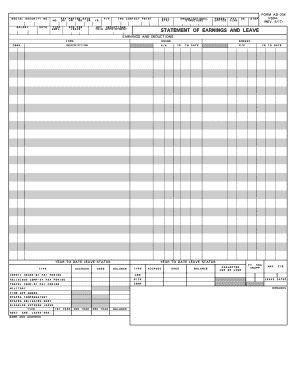
The USDA AD-334, also known as the Statement of Earnings and Leave, is a critical form for managing personnel information related to earnings and leave status. This guide will provide you with detailed, step-by-step instructions on how to fill out this form online, ensuring you complete each section accurately.
Follow the steps to complete the USDA AD-334 online.
- Click ‘Get Form’ button to obtain the form and open it in the editor.
- Enter the social security number in the designated field to verify personal identity.
- Input the month, day, and year in the appropriate sections to denote the pay period accurately.
- Provide the salary rate and type of employment in the respective fields to define earning parameters.
- Fill out the categories for leave such as sick leave and annual leave, ensuring the correct abbreviations are used where applicable.
- Document any deductions applicable to your earnings in the deductions section to maintain an accurate financial record.
- Review the year-to-date leave status to confirm that all accumulated leave is accounted for correctly.
- After completing the form, save any changes made, and choose to download, print, or share the completed AD-334 as necessary.
Complete your necessary forms online to ensure effective document management.
USDA employees typically enjoy a generous vacation policy based on years of service and government standards. Full-time employees can accumulate annual leave, which grows over time, allowing for a healthy work-life balance. Knowing how vacation time works within the USDA can help you plan your time off effectively. If you have questions about this benefit, consider consulting resources like uslegalforms for guidance.