Loading
Get Canada Form 3 - Ontario 2020-2026
How it works
-

Open form follow the instructions
-

Easily sign the form with your finger
-

Send filled & signed form or save
How to fill out the Canada Form 3 - Ontario online
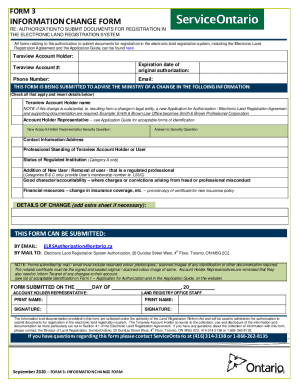
Filling out the Canada Form 3 - Ontario online is a straightforward process that allows you to communicate important changes regarding your Teraview account. This guide provides clear, step-by-step instructions to ensure you complete the form accurately.
Follow the steps to fill out Canada Form 3 - Ontario online
- Click ‘Get Form’ button to access the online version of Canada Form 3 - Ontario and open it in your preferred editor.
- Enter your Teraview Account Holder information, including your account number and the expiration date of your original authorization. Make sure this information is accurate to avoid delays.
- Provide your contact details, including your phone number and email address. This information will be essential for any follow-up regarding your submission.
- Indicate which specific information you are changing by checking the relevant boxes. Options include changes in the account holder name, representative details, contact information, or status of regulated institutions.
- If you are adding or removing users from your account, provide detailed information, including the user’s membership number if applicable.
- In the 'Details of Change' section, describe the changes in detail. If necessary, attach additional sheets for more comprehensive information.
- Once you have filled out the form completely, ensure that you save your changes. You can then download, print, or share the form as needed.
Start filling out your Canada Form 3 - Ontario online today.
Related links form
The person may remain in hospital for up to 72 hours while they receive an emergency assessment. If the person is not found to be a risk to themself or others, they can leave the hospital if they wish, even if it is against medical advice.