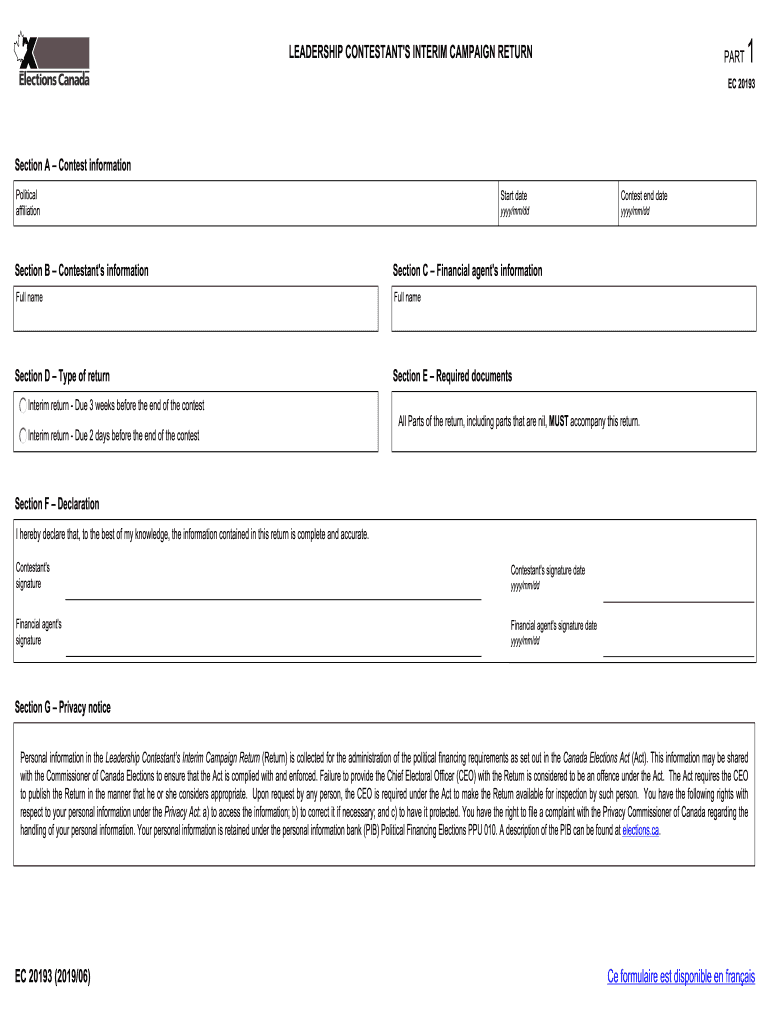
LEADERSHIP CONTESTANT 'S INTERIM CAMPAIGN RETURNPART1EC 20193Section A Contest information Political affiliationStart dateyyyy/mm/ddSection B Contestant 's informationSection C Financial agent 's.
Loading

Open form follow the instructions

Easily sign the form with your finger

Send filled & signed form or save
How to fill out the Canada Election EC 20193 online
This guide provides a comprehensive overview of filling out the Canada Election EC 20193 form online. Whether you are a seasoned participant or new to the election process, this step-by-step guide will assist you in completing the form accurately and efficiently.
Follow the steps to successfully complete your interim campaign return.
- Click the ‘Get Form’ button to access the form and open it in your preferred online editing tool.
- In Section A, enter the contest information. This includes your political affiliation and the start date of your contest in the format yyyy/mm/dd.
- Section B requires you to fill out the contestant's information, including the full name of the contestant.
- In Section C, provide the full name of the financial agent responsible for managing campaign finances.
- Choose the type of return you are submitting in Section D and make sure to specify the contest end date in yyyy/mm/dd format.
- In Section E, you need to include the required documents as per the instructions provided for interim returns, which are due at specified intervals before the end of the contest.
- Section F includes a declaration where the contestant must affirm the accuracy of the information provided. Both the contestant and the financial agent must sign and date this section.
- Review Section G, which contains the privacy notice outlining how personal information will be managed according to the Canada Elections Act.
- Make sure to complete all sections of the return, even if some parts are nil. Once you have filled out the form, you can save your changes, download, print, or share it according to your needs.
Complete your Canada Election EC 20193 form online today to ensure your submission is timely and accurate.
Experience a faster way to fill out and sign forms on the web. Access the most extensive library of templates available.
Related content
Bibliography, of United States and Canadian history, 1911, in ... Bonniwell, Eugene C...
occasion, the election of judges presents issues of whether judges are ... Canadian, and...
Contents General Information 2 Chairman's Letter to Shareholders 5 Investment Adviser's...
Use professional pre-built templates to fill in and sign documents online faster. Get access to thousands of forms.
If you believe that this page should be taken down, please follow our DMCA take down process here.