Loading
Get Ny Sign Template - Consumer Affairs Complaint Sign 2013-2026
How it works
-

Open form follow the instructions
-

Easily sign the form with your finger
-

Send filled & signed form or save
How to fill out the NY Sign Template - Consumer Affairs Complaint Sign online
Filling out the NY Sign Template for the Consumer Affairs Complaint Sign is essential for businesses licensed by the Department of Consumer Affairs. This guide will provide you with clear, step-by-step instructions to help you complete the form accurately and efficiently.
Follow the steps to fill out the NY Sign Template online.
- Click the ‘Get Form’ button to access the template and open it in your preferred editing tool.
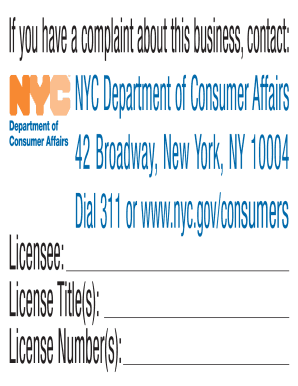
- In the designated field labeled 'Licensee', enter your business name exactly as it appears on your license.
- In the section for 'License Title(s)', specify the type(s) of business licenses you hold. Ensure the titles reflect your legal business entity.
- Input your 'License Number(s)' in the corresponding field. This number can be found on your Department of Consumer Affairs license documentation.
- Locate the area designated for DCA contact information. This should be pre-filled or may need to be verified to ensure consumers can reach out regarding complaints.
- Once all information is accurately entered, review the entire form for any errors or omissions.
- After confirming all entries are correct, save your changes. You can then download, print, or share the completed sign in accordance with the requirements.
Complete your forms online to ensure compliance and avoid penalties.
File a Complaint If consumers have questions about filing a complaint or any other marketplace questions, the Consumer Assistance Helpline 1-800-697-1220 is available Monday to Friday from 8:30am to 4:30pm, excluding State Holidays.