Loading
Get Jp Synchronicity Inc Registration Form 2011-2026
How it works
-

Open form follow the instructions
-

Easily sign the form with your finger
-

Send filled & signed form or save
How to fill out the JP Synchronicity Inc Registration Form online
Filling out the JP Synchronicity Inc Registration Form online is a straightforward process that allows users to register for workshops efficiently. This guide provides step-by-step instructions to help you navigate the form and ensure all necessary information is submitted accurately.
Follow the steps to complete your registration form online.
- Click the ‘Get Form’ button to access the registration form and open it in your preferred digital editor.
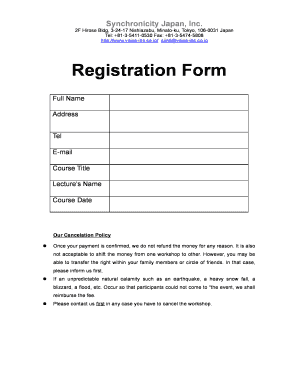
- Begin by entering your full name in the designated field. Ensure that you use the name you will use for official purposes and that it is spelled correctly.
- Provide your address in the appropriate section. Include your street address, city, state, and postal code to ensure accurate correspondence.
- Enter your telephone number in the provided field. Include the area code to ensure you can be contacted if necessary.
- Fill in your email address. This will be used for communication regarding your registration and any updates or changes.
- Select the course title from the dropdown menu or input it directly, ensuring it matches the course you wish to register for.
- Input the name of the lecture leader or instructor as required in the corresponding field. Make sure to double-check the spelling.
- Choose the course date from the options provided. Ensure this aligns with your availability.
- Review all the information you have entered for accuracy to avoid complications during the registration process.
- Once you are satisfied that all information is correct, you can save your changes within the editor. Then, download a copy of the form, print it for your records, or share it with others as needed.
Complete your registration form online today to secure your spot in the desired workshop!