Loading
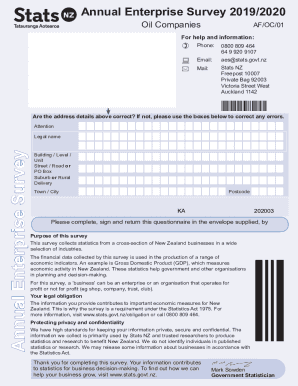
Get Nz Af/oc/01 2019-2026
How it works
-

Open form follow the instructions
-

Easily sign the form with your finger
-

Send filled & signed form or save
How to fill out the NZ AF/OC/01 online
This guide provides step-by-step instructions for completing the NZ AF/OC/01 form online, ensuring accuracy and compliance with submission requirements. By following this guide, users will navigate through each section with ease.
Follow the steps to effectively fill out the NZ AF/OC/01 form.
- Click the ‘Get Form’ button to obtain the form and open it in the editor.
- Begin Section 1 by confirming your address details. If there are any errors, provide the correct information in the designated boxes below.
- In Section 2, fill in the legal name of your business. This should match the name registered with the relevant authorities.
- Continue to Section 3 to provide details about your address, including building, street, suburb, city, and postcode. Ensure all fields are filled accurately.
- In Section 4, indicate your balance date and adjust if your business operates on a different date than the standard October to September reporting period.
- For Section 5, answer whether the reporting period covers 12 months. If not, specify the start date and reason for the shorter period.
- Section 6 requires you to exclude or include GST in your amounts. Choose the appropriate checkbox.
- In Sections 7-20, provide income figures, including detailed descriptions for any significant variances compared to the previous year.
- Sections 21-38 cover expenditure. Report all relevant expenses accurately, ensuring to round off to the nearest thousand where instructed.
- At the end of the form, ensure all calculations for surplus or deficit are correct. Fill in totals from previous sections as directed.
- Finally, review all sections for completeness and accuracy, save your changes, and proceed to download, print, or share the completed form as needed.
Complete your documents online to ensure timely and accurate submission.