Loading
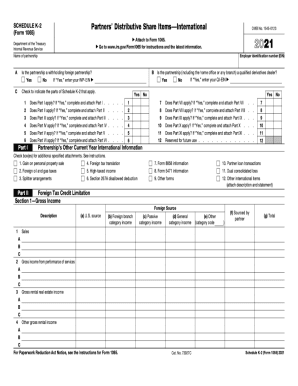
Get Irs 1065 - Schedule K-2 2021
This website is not affiliated with IRS
How it works
-

Open form follow the instructions
-

Easily sign the form with your finger
-

Send filled & signed form or save
How to fill out the IRS 1065 - Schedule K-2 online
The IRS 1065 - Schedule K-2 is an essential form for partnerships to report their international tax matters. This guide will provide you with a clear, step-by-step approach to completing the form online, ensuring you have all the necessary information.
Follow the steps to complete the IRS 1065 - Schedule K-2 online.
- Click ‘Get Form’ button to obtain the form and open it in your preferred editor.
- Review the introductory sections of the form to familiarize yourself with the purpose and requirements of Schedule K-2.
- Proceed to the top section where you will enter the partnership’s name, address, and identifying information, ensuring all details are accurate.
- In the subsequent sections, input the relevant tax information, including income, deductions, and credits that apply to international activity.
- Continue by filling in the partners' share of items from the partnership, including their international income and expenses.
- Complete any additional sections that may pertain to specific types of international transactions dictated by the IRS guidelines.
- Review all entries for accuracy and completeness to avoid errors that could delay processing.
- Once completed, save your changes, and choose to download, print, or share the form as needed.
Take the next step and complete your IRS forms online today.
Get form
Experience a faster way to fill out and sign forms on the web. Access the most extensive library of templates available.
Get This Form Now!
Use professional pre-built templates to fill in and sign documents online faster. Get access to thousands of forms.