Loading
Get Wa Ft-441-242 Instructions 2018-2026
How it works
-

Open form follow the instructions
-

Easily sign the form with your finger
-

Send filled & signed form or save
How to fill out the WA FT-441-242 Instructions online
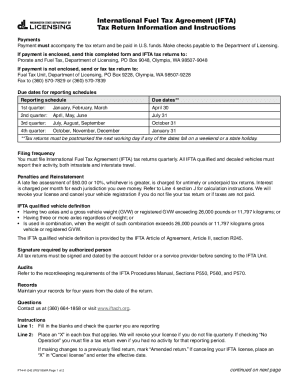
Filling out the WA FT-441-242 form online can be a straightforward process if you follow a structured approach. This guide provides step-by-step instructions to help you complete the form accurately and efficiently, ensuring compliance with the International Fuel Tax Agreement requirements.
Follow the steps to accurately complete your tax return.
- Click ‘Get Form’ button to access the WA FT-441-242 Instructions and open it in your preferred online editor.
- Begin by filling in Line 1 with your details and select the quarter you are reporting. Ensure that you correctly identify if you had 'No Operation' during this period, as a tax return is required even in such cases.
- For Line 3, enter the fuel type abbreviation you used: Diesel (DI), Gasoline (Gas), Propane (LP), Gasohol (GH), or Natural Gas (NG). Carefully input the total miles and gallons in whole numbers, avoiding decimals.
- Complete Line 4 by entering information for each jurisdiction you traveled in. This includes the miles traveled and taxable gallons for each IFTA jurisdiction.
- In Line 5, transfer the subtotals from the columns on the bottom of page 2, ensuring you do not duplicate information from the front to the back.
- Total the relevant columns in Line 6 to ensure all values are correct and consistent throughout your form.
- In Line 7, calculate any penalties for late returns and document them accordingly.
- Complete Lines 8 and 9 with the total amounts owed or any refund you may be eligible for, ensuring that all amounts reflect what was calculated earlier in the form.
- Review all entries on the form for accuracy before finalizing your submission.
- Upon completion, save the changes, download, print, or share the form as required for your records.
Start your online filing process today to ensure timely submission and compliance.