Loading
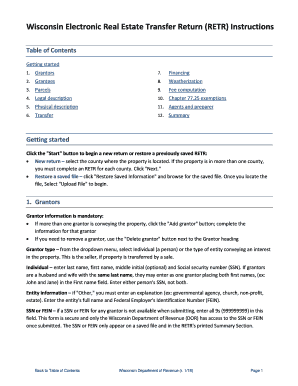
Get Wi Electronic Real Estate Transfer Return (retr) Instructions 2018-2026
How it works
-

Open form follow the instructions
-

Easily sign the form with your finger
-

Send filled & signed form or save
How to fill out the WI Electronic Real Estate Transfer Return (RETR) Instructions online
Completing the Wisconsin Electronic Real Estate Transfer Return (RETR) can seem daunting, but with clear guidance, you can navigate the process smoothly. This guide will provide you with step-by-step instructions to ensure that you fill out the form accurately and efficiently.
Follow the steps to complete your RETR form online.
- Click the ‘Get Form’ button to acquire the form and open it for editing.
- Start your new return by selecting the county where the property is located. If the property spans multiple counties, complete a separate RETR for each one, then click 'Next.' If you wish to restore a saved RETR, choose 'Restore Saved Information' and upload your saved file.
- In the Grantors section, input the mandatory details such as last name, first name, middle initial, and social security number (SSN) for each grantor. Use the 'Add grantor' button for additional grantors or 'Delete grantor' to remove any.
- For Grantees, input required information similar to the Grantors section. Use the 'Add grantee' button for multiple grantees and ensure to check the appropriate box for the tax bill address.
- Fill in Parcel information for each property being conveyed by using the 'Add parcels' button. You must enter at least five parcels; additional parcels should be listed in the Legal description section.
- Enter a detailed Legal description that identifies the location and boundaries of the transferred property, either by typing or pasting it from another source.
- In the Physical description section, provide information regarding the principal parcel, such as property type, predominant use, and applicable dimensions.
- Specify the Transfer type and complete the Conveyance details, including the date of conveyance and the type of document being recorded.
- In the Financing section, select the source of financing involved in the transaction. The choices may include multiple options unless you specify 'No financing involved.'
- Proceed to the Fee computation section where you will enter values for the total value of real estate transferred, value subject to fee, and calculate the transfer fee due, which is based on the values entered.
- In the Chapter 77.25 exemptions section, select any applicable exemptions that may apply to your transaction.
- Complete the Agents and preparer section, providing contact information for anyone signing on behalf of the grantor or grantee.
- Review the Summary of your entries in the RETR form. Ensure all information is correct and finalize your document.
- Once all sections are complete, you can save changes, download, print, or share the completed form as needed.
Start filling out your RETR form online now for a seamless transfer process.
Complete the deed form on your computer or print it and complete it in all black ink. The Grantors (current owners) must sign the deed before a notary public. 2. Go to the Wisconsin Department of Revenue's E-Return website at https://.revenue.wi.gov/retr/index.html and complete an E-Return (eRETR).