Loading
Get Canada Hlth2986 2012-2026
How it works
-

Open form follow the instructions
-

Easily sign the form with your finger
-

Send filled & signed form or save
How to fill out the Canada HLTH2986 online
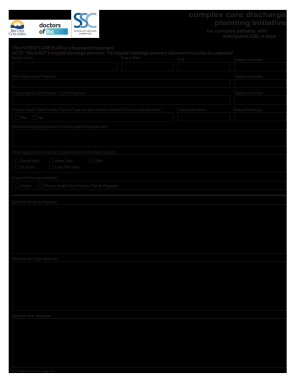
Filling out the Canada HLTH2986 form is essential for facilitating a patient's discharge plan from a healthcare facility. This guide will provide you with clear, step-by-step instructions on how to complete the form accurately to ensure a smooth transition for the patient.
Follow the steps to effectively fill out the Canada HLTH2986 form.
- Click the ‘Get Form’ button to obtain the form and access it in the editor.
- Begin by entering the patient's name, date of birth, and personal health number (PHN) in the designated fields.
- Input the patient's telephone number for contact purposes.
- Fill in the most responsible physician's name and telephone number.
- Provide the details of the primary health care provider or family physician, including their telephone number.
- Indicate whether the primary health care provider was notified within the first 24 hours of the patient's admission by selecting 'Yes' or 'No.'
- List any other consulting physicians involved in the patient’s hospital care.
- Document any additional supports consulted during the development of the discharge plan, such as nutrition.
- Describe the admitting diagnosis, discharge diagnosis, and any other diagnoses affecting the patient.
- Enter the date of admission and date of discharge.
- Fill out the medications information, noting any allergies, changes, new medications, or discontinuations.
- Specify follow-up time frames, such as less than one week or 2-4 weeks, and record any appointments arranged with the primary health care provider and specialists.
- If home care is required, include the necessary contact person who will arrange for home care if they have not been contacted within one day post-discharge.
- Add special instructions for the patient and any specific instructions for the primary health care provider or family physician.
- Outline any triggers for re-referral or need for telephone advice from specialists.
- Include notes intended for specialist physicians to provide further guidance.
- Once all fields are completed, review the information for accuracy. You can then save changes, download, print, or share the completed form.
Ensure your documents are completed accurately online to facilitate patient care.