Loading
Get Tnc Medical Examination Report
How it works
-

Open form follow the instructions
-

Easily sign the form with your finger
-

Send filled & signed form or save
How to fill out the TNC Medical Examination Report online
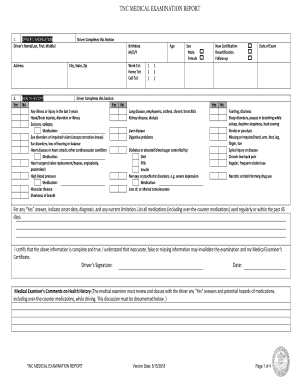
The TNC Medical Examination Report is an essential document for drivers seeking certification to operate a transportation network company vehicle. This guide provides step-by-step instructions to help users fill out the form accurately and efficiently online.
Follow the steps to complete your TNC Medical Examination Report.
- Click ‘Get Form’ button to obtain the form and open it in the editor.
- Fill in the Driver's Information section. Enter the driver's name in the format of last, first, and middle. Provide the driver's address, birthdate in the M/D/Y format, and city, state, and zip code.
- Complete the Health History section. Indicate 'Yes' or 'No' to questions regarding any illnesses or injuries within the last five years. For any 'Yes' responses, provide details such as onset date, diagnosis, and limitations, along with a list of current medications.
- The user must certify the completeness and accuracy of the information by signing the document and dating it.
- The Medical Examiner will then fill out their comments regarding the health history and any discussed issues based on the driver's responses.
- Proceed to the Physical Examination section. This part must be completed by the Medical Examiner, who will assess various health conditions that might affect the ability to drive.
- Once all sections are completed, save your changes, and download or print the form as needed.
Complete your TNC Medical Examination Report online today for a smoother certification process.
About the Medical Examination Report (MER) Form, MCSA-5875: The Federal Motor Carrier Safety Administration requires that interstate commercial motor vehicle drivers maintain a current Medical Examiner's Certificate (MEC), Form MCSA-5876 to drive.