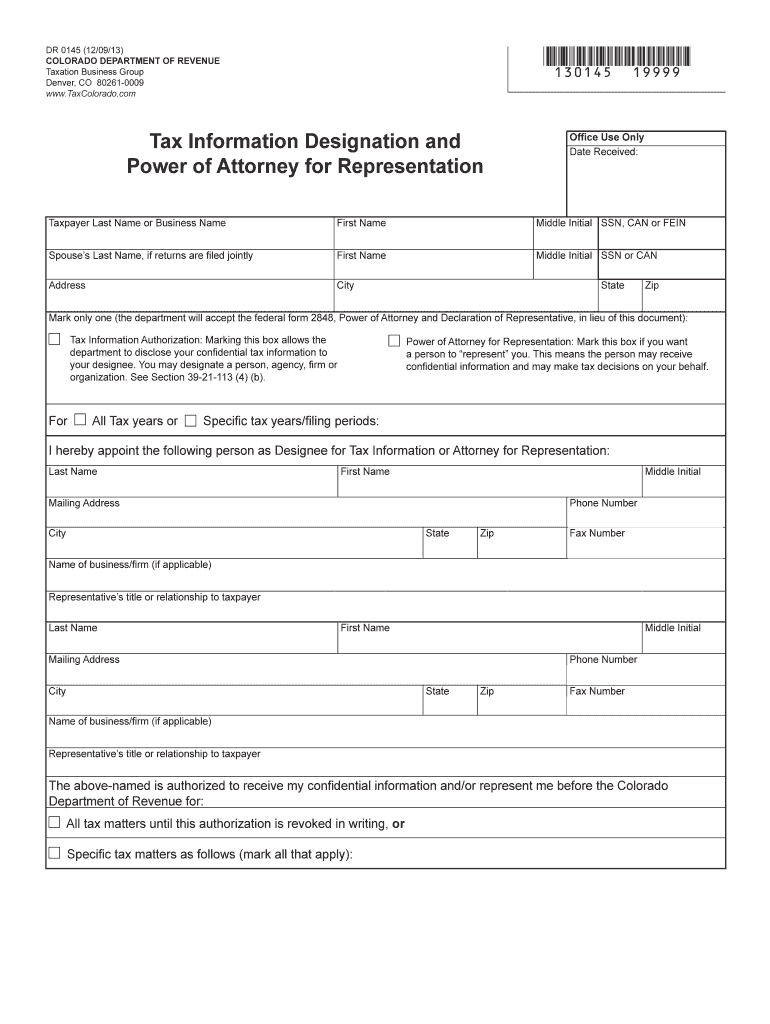
N Office Use Only Date Received: Taxpayer Last Name or Business Name First Name Middle Initial SSN, CAN or FEIN Spouse s Last Name, if returns are filed jointly First Name Middle Initial SSN or CAN Address City State Zip Mark only one (the department will accept the federal form 2848, Power of Attorney and Declaration of Representative, in lieu of this document): Tax Information Authorization: Marking this box allows the department to disclose your confidential tax inform.
Loading

Open form follow the instructions

Easily sign the form with your finger

Send filled & signed form or save
How to fill out the CO DoR DR 0145 online
Filling out the CO DoR DR 0145 form is crucial for authorizing someone to receive your tax information or represent you before the Colorado Department of Revenue. This guide provides step-by-step instructions to help you complete the form online efficiently.
Follow the steps to fill out the CO DoR DR 0145 form online.
- Click the ‘Get Form’ button to obtain the form and open it in the online editor.
- Begin by entering the taxpayer's last name or business name, followed by the first name and middle initial. Provide the Social Security Number (SSN), Colorado Account Number (CAN), or Federal Employer Identification Number (FEIN). If filing jointly, include the spouse's last name, first name, middle initial, and their SSN or CAN.
- Input the taxpayer's complete address including city, state, and zip code.
- Mark the appropriate box to select whether this is for 'Tax Information Authorization' or 'Power of Attorney for Representation'. If granting broad access, mark 'All tax years' or specify individual tax years/filing periods.
- Designate the person as a designee for tax information or attorney for representation by filling in their last name, first name, middle initial, and mailing address. Include their phone and fax numbers, along with the name of their business or firm and their title or relationship to you.
- For authorization purposes, check the relevant tax matters they are allowed to represent you in. Specify any other tax type if necessary, along with the corresponding periods.
- Sign and print your name along with the date. If this is a joint return, include the spouse's signature, print their name, and the date. Ensure both signatures are present if required.
- Fill in the declaration of the representative, if applicable, and have them sign, providing the date and their title.
- Review all entries for accuracy before saving changes, downloading, printing, or sharing the completed form.
Complete your CO DoR DR 0145 form online today for a seamless representation.
Experience a faster way to fill out and sign forms on the web. Access the most extensive library of templates available.
Related content
May 26, 2021 — Form DR 0145 may be used for two purposes: 1. Tax Information...
If you are submitting this claim for a third party, you must include a Power of Attorney...
Chapter 2 – Installation and Use. 2-1. 2.1 Housing .
Use professional pre-built templates to fill in and sign documents online faster. Get access to thousands of forms.
If you believe that this page should be taken down, please follow our DMCA take down process here.
This form is available in several versions. Select the version you need from the drop-down list below.