Loading
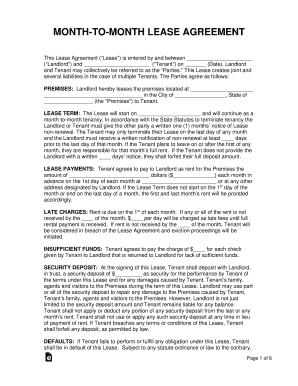
Get Month-to-month Lease Agreement 2016-2026
How it works
-

Open form follow the instructions
-

Easily sign the form with your finger
-

Send filled & signed form or save
How to fill out the Month-to-Month Lease Agreement online
Filling out a Month-to-Month Lease Agreement online can be a straightforward process. This guide will provide clear, step-by-step instructions to help users complete the form accurately and confidently.
Follow the steps to fill out the Month-to-Month Lease Agreement online.
- Click ‘Get Form’ button to obtain the Month-to-Month Lease Agreement and open it in the online editor.
- Enter the names of the landlord and tenant in the designated fields at the beginning of the form.
- Fill in the date on which the lease agreement is being entered into.
- Provide the complete address of the premises being leased in the appropriate field.
- Specify the start date of the lease term, ensuring it is clearly marked.
- Indicate the monthly rent amount and the method of payment by filling in the relevant sections.
- Complete the sections related to late charges and insufficient funds charges, including any specific fees.
- Enter the amount of the security deposit required at the signing of the lease.
- Fill out additional provisions such as tenants allowed, pet policy, and any alterations or improvements to the premises as needed.
- Review all provided information for accuracy and completeness before proceeding.
- Once satisfied with the completed lease, save the changes, and choose whether to download, print, or share the document.
Start filling out your Month-to-Month Lease Agreement online today for a seamless rental process.
A Missouri month-to-month rental agreement is between a landlord and tenant for the leasing of property for an unspecified time period. The only way the lease changes is with notice by either the landlord or the tenant.