Loading
Get Nj Dental Assistant Application Checklist 2019-2026
How it works
-

Open form follow the instructions
-

Easily sign the form with your finger
-

Send filled & signed form or save
How to fill out the NJ Dental Assistant Application Checklist online
Completing the NJ Dental Assistant Application Checklist is a crucial step in pursuing your licensing as a dental assistant in New Jersey. This guide provides a clear, instructional overview on how to successfully navigate the application checklist online.
Follow the steps to accurately complete the NJ Dental Assistant Application Checklist online.
- Press the ‘Get Form’ button to access the NJ Dental Assistant Application Checklist and open it for editing.
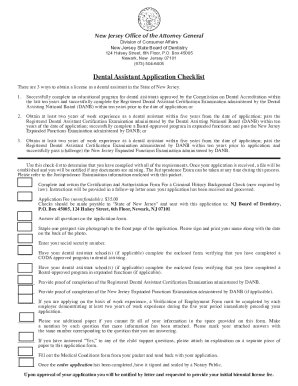
- Review the three pathways for obtaining a dental assistant license in New Jersey, to understand which applies to your situation.
- Complete and return the Certification and Authorization Form for a Criminal History Background Check as required by law.
- Prepare and include the nonrefundable application fee of $35. Make checks payable to 'State of New Jersey' and send it with your application.
- Answer all questions in the application form completely and accurately.
- Staple one passport-sized photograph to the front page of the application, writing your name and date on the back.
- Enter your Social Security number in the designated field, ensuring compliance with state regulations.
- Request that your dental assistant school(s) complete the enclosed form verifying your completion of a CODA approved program if applicable.
- If applicable, have your school(s) verify completion of a Board-approved program in expanded functions.
- Provide proof of completion for the Registered Dental Assistant Certification Examination administered by DANB.
- If applicable, provide documentation for the completion of the New Jersey Expanded Functions Examination by DANB.
- If applying based on work experience, ensure a Verification of Employment Form is completed by each employer that confirms at least two years of experience within the last five years.
- If needed, use additional paper to include more information and label it accordingly with the question number.
- If you answered 'Yes' to any child support questions, include a separate explanation.
- Fill out the Medical Conditions form included in your packet and return it with your application.
- Once completed, have the application signed and sealed by a Notary Public.
- After completing the application, save any changes, and opt to download, print, or share the document as needed.
Start your application process today to become a licensed dental assistant in New Jersey!