Loading
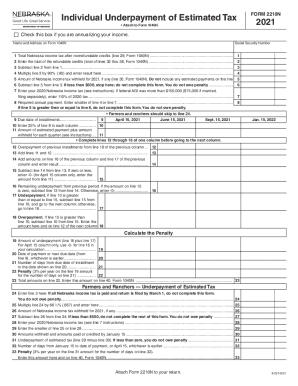
Get Ne Dor 2210n 2021-2026
How it works
-

Open form follow the instructions
-

Easily sign the form with your finger
-

Send filled & signed form or save
How to fill out the NE DoR 2210N online
The NE DoR 2210N form is essential for individuals who need to report an underpayment of estimated tax for the state of Nebraska. This guide provides clear instructions to help users efficiently complete the form online.
Follow the steps to complete the NE DoR 2210N online.
- Click the ‘Get Form’ button to access the form and open it in your preferred editor.
- Begin by entering your name and address in the designated fields, ensuring that the information matches what is reported on Form 1040N.
- Complete line 1 with your total Nebraska income tax after nonrefundable credits.
- Subtract line 2 from line 1 and enter the result in line 3.
- State the amount of Nebraska income tax withheld for 2021 (excluding estimated payments) in line 5.
- Subtract line 5 from line 3. If the result is less than $500, do not complete this form as no penalty is owed.
- For users with an AGI exceeding $150,000 (or $75,000 if married filing separately), enter 110% of the 2020 tax on line 7.
- Determine your required annual payment on line 8 by entering the smaller amount from either line 4 or line 7.
- Provide the due dates for installments in line 9, selecting from the available options.
- On line 11, state the amount of estimated payment plus the amount withheld for each quarter.
- Proceed by completing lines 12 through 18 for the first column diligently before moving to subsequent columns.
- Lastly, save, download, or print the completed form for your records and ensure you attach Form 2210N to your Nebraska Individual Income Tax Return, Form 1040N.
Complete your tax documents online efficiently to ensure timely submission and avoid penalties.
Typically, underpayment penalties are 5% of the underpaid amount, and they're capped at 25%. Underpaid taxes also accrue interest at a rate that the IRS sets annually.