Loading
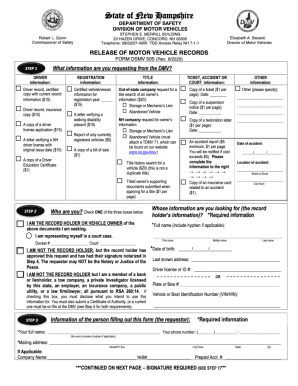
Get Nh Dsmv 505 2020-2026
How it works
-

Open form follow the instructions
-

Easily sign the form with your finger
-

Send filled & signed form or save
How to fill out the NH DSMV 505 online
Filling out the NH DSMV 505 form online can streamline the process of managing your vehicle registration needs. This guide provides clear, step-by-step instructions to ensure a smooth experience as you complete this important document.
Follow the steps to successfully fill out the NH DSMV 505 online.
- Click the ‘Get Form’ button to access the NH DSMV 505 document and open it in the online editor.
- Begin filling in your personal information, ensuring to include your full name, address, and any identification numbers as required. Pay close attention to accuracy as this information will be reviewed.
- Complete the vehicle information section. This includes details such as the make, model, year, and VIN (Vehicle Identification Number). Double-check these details to ensure they match your vehicle documentation.
- In the next section, provide information regarding your registration history. Be sure to specify whether this is a new registration or a renewal, as it affects processing.
- Review any additional declarations or agreements included in the form. Make sure you understand and agree to all statements before proceeding.
- Once you have completed all sections of the form, take a moment to thoroughly review your entries for accuracy and completeness.
- Finally, after confirming all information is correct, you can save your changes, download a copy for your records, print the form if needed, or share it through the options provided in the editor.
Complete your documents online today for a hassle-free experience!