Loading
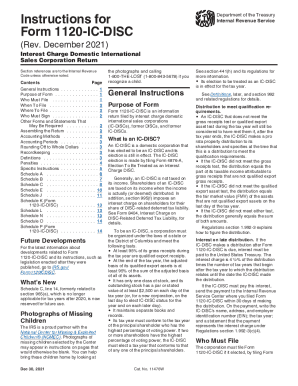
Get Irs Instructions 1120-ic-disc 2021-2026
This website is not affiliated with IRS
How it works
-

Open form follow the instructions
-

Easily sign the form with your finger
-

Send filled & signed form or save
How to fill out the IRS Instructions 1120-IC-DISC online
Filling out the IRS Form 1120-IC-DISC can seem daunting, but this comprehensive guide will help users navigate through each section and field of the form methodically. This resource is designed to simplify the online filing process for all users, regardless of their previous experience with tax forms.
Follow the steps to complete the IRS Instructions 1120-IC-DISC online successfully.
- Press the ‘Get Form’ button to access the IRS Form 1120-IC-DISC online and open it in your editing environment.
- Fill in the Information Section: Start by entering the corporation's name, address, and Employer Identification Number (EIN) at the top of the form.
- Complete the Entity Information: Indicate whether this is the initial or final return, or if the corporation has changed its name or address.
- Specify the Tax Year: Enter the tax year for which the form is being filed, noting whether it is a calendar or fiscal year.
- Outline Income Information: Accurately report all necessary income details, including qualified export receipts. Follow corresponding guidelines regarding export properties.
- Fill in the Deductions Section: Carefully outline all eligible deductions that the IC-DISC can claim according to IRS guidelines.
- Complete the Schedules: Ensure that the necessary schedules (A through K) that pertain to your corporation’s activities are filled out completely.
- Review and Ensure Accuracy: Double-check all entries for accuracy and completeness.
- Submit or Save Your Form: After completing the form online, save the changes and then either download the form for later submission, print it for mailing, or follow online submission procedures if available.
Don't hesitate to complete your IRS documents online for a streamlined filing experience.