Loading
Get Gsa Sf 26 2008
How it works
-

Open form follow the instructions
-

Easily sign the form with your finger
-

Send filled & signed form or save
How to fill out the GSA SF 26 online
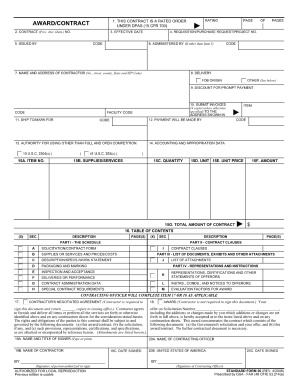
The GSA SF 26, also known as the Award/Modification of Contract form, is an essential document for federal procurement. This guide provides clear instructions on how to complete the form online, ensuring you can navigate through each section with ease.
Follow the steps to fill out the GSA SF 26 online effectively.
- Click ‘Get Form’ button to access the GSA SF 26 and open it in your preferred online editor.
- Begin by filling in the contract number, which is a unique identifier for the contract related to this form. Ensure that the number is accurate and matches the existing contract information to avoid any processing delays.
- Next, provide the company name and address of the contractor. This information must exactly reflect the official records to maintain consistency and validity.
- In the next section, specify the type of award or modification you are making. It is crucial to select the correct description as this will affect how the document is processed.
- Continue by entering the effective date of the contract or modification. This date is important as it marks when the terms come into effect; double-check to ensure accuracy.
- Review additional fields which may require you to provide details about pricing, performance dates, or specific clauses pertinent to the contract. Carefully follow the prompts to ensure no information is missed.
- Lastly, ensure you add the necessary signatures in the designated areas. Electronic signatures are acceptable, but please follow any agency guidelines on their use.
- Once all sections are complete, review the form for any errors or omissions. After verifying the accuracy, you can save your changes, download the form, print it, or share it as needed.
Complete your GSA SF 26 and other documents online today to streamline your procurement process.
Get form
Experience a faster way to fill out and sign forms on the web. Access the most extensive library of templates available.
To get GSA certified, begin by ensuring your business meets the eligibility requirements outlined by the GSA. Then, gather necessary documents, complete forms like the GSA SF 26, and submit your application through the GSA's online system. Tools like US Legal Forms can assist you in creating and managing the required documentation, making your path to certification smoother.
Get This Form Now!
Use professional pre-built templates to fill in and sign documents online faster. Get access to thousands of forms.