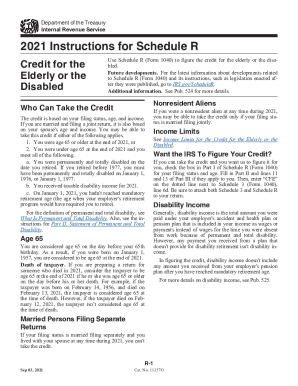
Department of the Treasury Internal Revenue Service2021 Instructions for Schedule R Credit for the Elderly or the DisabledUse Schedule R (Form 1040) to figure the credit for the elderly or the disabled. Future.

How it works
  • Open form

    Open form follow the instructions

  • Easily sign form

    Easily sign the form with your finger

  • Share form

    Send filled & signed form or save

How to use or fill out the Instructions For Schedule R (Form 1040), Credit For The Elderly or Disabled online

Filling out the Instructions For Schedule R (Form 1040) is essential for determining eligibility for the credit for the elderly or the disabled. This guide will provide you with clear and supportive instructions to help you navigate the process seamlessly online.

Follow the steps to successfully complete your Schedule R form.

  1. Click ‘Get Form’ button to obtain the form and access it in your preferred format.
  2. Review the information regarding eligibility, ensuring you meet the criteria based on age, income, and disability status.
  3. Fill in Part I by indicating your filing status and age. If applicable, check the box indicating your desire for the IRS to calculate your credit.
  4. In Part II, provide a statement of permanent and total disability, if necessary. Ensure this is certified by a physician.
  5. Complete Part III by accurately reporting your disability income and calculating your credit limit based on the guidelines provided.
  6. Determine if your gross income exceeds the limits set for your filing status, which may affect your eligibility for the credit.
  7. After completing all necessary sections of the form, verify all information for accuracy.
  8. You can save your changes, download the completed form, print a hard copy, or share it as needed.

Ensure to complete your Schedule R (Form 1040) online to maximize your potential benefits.

Get form

Experience a faster way to fill out and sign forms on the web. Access the most extensive library of templates available.

Related content

2021 Instructions for Schedule R - IRS.gov

Sep 3, 2021 — Use Schedule R (Form 1040) to figure the credit for the elderly or the...

Learn more
Instructions for Schedule R (Form 1040) : credit...

Instructions for Schedule R (Form 1040) : credit for the elderly or disabled ; Genre:...

Learn more
2017 Publication 554 - IRS

Jan 23, 2018 — If (a) or (b) applies, see the Instructions for Form 1040 or Pub....

Learn more
Questions & Answers

Get answers to your most pressing questions about US Legal Forms API.

Contact support

Is the IRS Schedule R credit available for elderly or disabled people?

You may be able to take this credit and reduce your tax if by the end of 2022: You were age 65 or older or. You were under age 65, you retired on permanent and total disability, and you received taxable disability income. But you must also meet other tests.

50% of your adjusted gross income will be added and less the AGI limitation amount. In addition, the eFile.com tax software will apply the correct standard deductions for your you are entitled for as a senior. Learn more about 2022 standard deductions by filing status.

The Schedule R form must be attached to Form 1040. How does this credit apply to Form 1040? The Credit for the Elderly and the Disabled is a nonrefundable tax credit that reduces the tax burden on individuals who are over age 65 or on total and permanent disability.

The Schedule R credit refers to a worksheet the IRS provides that allows certain elderly or disabled people to receive a credit of between $3,750 and $7,500. The calculation for the credit factors in several figures, including your adjusted gross income and nontaxable Social Security benefits, among others.

If you get disability payments, your payments may qualify as earned income when you claim the Earned Income Tax Credit (EITC). Disability payments qualify as earned income depending on: The type of disability payments you get: Disability retirement benefits.

Qualifications for the credit First, you must be either elderly or disabled. To meet the age test, you must be at least 65 years of age by the end of the tax year. If you're disabled, you must meet all three of these requirements to qualify: You must have been permanently and totally disabled before you retired.

Generally, the elderly or disabled tax credit ranges between $3,750 and $7,500; it is 15% of the initial amount, less the total of nontaxable social security benefits and certain other nontaxable pensions, annuities, or disability benefits you've received.

You may be able to take the credit for the elderly or the disabled if: You are age 65 or older at the end of 2022, or. You retired on permanent and total disability and have taxable disability income.

Get This Form Now!

Use professional pre-built templates to fill in and sign documents online faster. Get access to thousands of forms.

If you believe that this page should be taken down, please follow our DMCA take down process here.

Get Instructions For Schedule R (Form 1040), Credit For The ...