Loading
Form preview
  • US Legal Forms
  • Form Library
  • More Forms
  • More Multi-State Forms
  • Irs Instruction 1040 - Schedule Se_dsa

Get Irs Instruction 1040 - Schedule Se_dsa

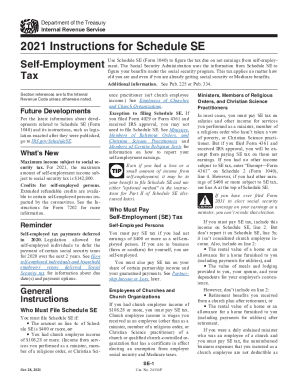
Department of the Treasury Internal Revenue Service2021 Instructions for Schedule SE Reemployment TaxUse Schedule SE (Form 1040) to figure the tax due on net earnings from self employment. The Social.

This website is not affiliated with IRS

How it works

  1. Open form

    Open form follow the instructions

  2. Easily sign form

    Easily sign the form with your finger

  3. Share form

    Send filled & signed form or save

How to fill out the IRS Instruction 1040 - Schedule SE_DSA online

Filling out IRS Instruction 1040 - Schedule SE_DSA online is essential for self-employed individuals to calculate their self-employment tax. This guide provides detailed steps to help users confidently complete the form with clarity and assistance.

Follow the steps to fill out the form correctly:

  1. Press the ‘Get Form’ button to access the Schedule SE_DSA form and open it in your preferred editor.
  2. Begin by entering your personal information at the top of the form, including your name and Social Security number.
  3. Start with Part I, which requires you to calculate your net earnings from self-employment. Gather documentation for all self-employment income, including any partnerships and additional earnings.
  4. In lines 1a and 1b, report your net profits from self-employment sources. If applicable, include any taxable Conservation Reserve Program payments in line 1b.
  5. Proceed to lines 4a to 4c to determine if your total income meets the threshold for filing, ensuring you enter all negative amounts in parentheses.
  6. If you have church employee income, follow the specific instructions provided in the form related to church-related earnings.
  7. Complete additional sections based on your income types, including rental income or income from shares in partnerships, making sure to carefully read the line instructions for any deductions or exemptions.
  8. If necessary, move to Part II of the form to explore optional methods for calculating your self-employment tax, considering your specific income circumstances.
  9. Once all fields are filled, review the information for accuracy, and ensure all income sources have been adequately reported.
  10. Finally, save your changes, download the completed form, print a copy for your records, and share it as necessary.

Start filling out your IRS Instruction 1040 - Schedule SE_DSA form online today to stay on track with your self-employment obligations.

Get form

Experience a faster way to fill out and sign forms on the web. Access the most extensive library of templates available.
Get form

Related content

Publication 225 (2021), Farmer's Tax Guide...
This chapter discusses farm income you report on Schedule F (Form 1040), Profit or Loss...
Learn more
2021 Publication 225 - Internal Revenue Service
Oct 15, 2021 — a subject, get the specific IRS tax publication ... complete Part III of...
Learn more
2017 Schedule F (Form 1040) - Internal Revenue...
Complete Parts I and II (Accrual method. Complete Parts II and III, and Part I, line 9.)...
Learn more

Related links form

Home Loan Application Yoox Return Form Pdf Cdph Address Change 2020 Verkoopovereenkomst Fiets 2020

Questions & Answers

Get answers to your most pressing questions about US Legal Forms API.

Contact support

For tax year 2022, your AGI is on Line 11 on Form 1040, 1040-SR, and 1040-NR.

You calculate your self-employment tax on Schedule SE and report that amount in the "Other Taxes" section of Form 1040.

See IRS.gov and IRS.gov/Forms, and for the latest information about developments related to Forms 1040 and 1040-SR and their instructions, such as legislation enacted after they were published, go to IRS.gov/Form1040.

Even if you had a loss or a small amount of income from self-employment, it may be to your benefit to file Schedule SE and use either "optional method" in the instruc- tions for Part II of Schedule SE (dis- cussed later). You must pay SE tax if you had net earnings of $400 or more as a self-em- ployed person.

Use Schedule SE (Form 1040) to figure the tax due on net earnings from self-employment.

Use Schedule SE (Form 1040) to figure the tax due on net earnings from self-employment. The Social Security Administration uses the information from Schedule SE to figure your benefits under the social security program.

Instead, you must report your self-employment income on Schedule C (Form 1040) to report income or (loss) from any business you operated or profession you practiced as a sole proprietor in which you engaged for profit. You'll figure your self-employment tax on Schedule SE.

Schedule SE is one of many schedules of Form 1040, the form you use to file your individual income tax return. You use it to calculate your total self-employment tax, which you must report on another schedule of Form 1040—Schedule 2 (Part II, line 4).

Get This Form Now!

Use professional pre-built templates to fill in and sign documents online faster. Get access to thousands of forms.
Get form
If you believe that this page should be taken down, please follow our DMCA take down processhere.
Get IRS Instruction 1040 - Schedule SE_DSA
Get form
  • Adoption
  • Bankruptcy
  • Contractors
  • Divorce
  • Home Sales
  • Employment
  • Identity Theft
  • Incorporation
  • Landlord Tenant
  • Living Trust
  • Name Change
  • Personal Planning
  • Small Business
  • Wills & Estates
  • Packages A-Z
  • Affidavits
  • Bankruptcy
  • Bill of Sale
  • Corporate - LLC
  • Divorce
  • Employment
  • Identity Theft
  • Internet Technology
  • Landlord Tenant
  • Living Wills
  • Name Change
  • Power of Attorney
  • Real Estate
  • Small Estates
  • Wills
  • All Forms
  • Forms A-Z
  • Form Library
  • Legal Hub
  • About Us
  • Help Portal
  • Legal Resources
  • Blog
  • Affiliates
  • Contact Us
  • Delete My Account
  • Site Map
  • Industries
  • Forms in Spanish
  • Localized Forms
  • State-specific Forms
  • Forms Kit
  • Real Estate Handbook
  • All Guides
  • Notarize
  • Incorporation services
  • For Consumers
  • For Small Business
  • For Attorneys
  • USLegal
  • FormsPass
  • pdfFiller
  • signNow
  • altaFlow
  • DocHub
  • Instapage
Form Packages
  • Adoption
  • Bankruptcy
  • Contractors
  • Divorce
  • Home Sales
  • Employment
  • Identity Theft
  • Incorporation
  • Landlord Tenant
  • Living Trust
  • Name Change
  • Personal Planning
  • Small Business
  • Wills & Estates
  • Packages A-Z
Form Categories
  • Affidavits
  • Bankruptcy
  • Bill of Sale
  • Corporate - LLC
  • Divorce
  • Employment
  • Identity Theft
  • Internet Technology
  • Landlord Tenant
  • Living Wills
  • Name Change
  • Power of Attorney
  • Real Estate
  • Small Estates
  • Wills
  • All Forms
  • Forms A-Z
  • Form Library
Customer Service
  • Legal Hub
  • About Us
  • Help Portal
  • Legal Resources
  • Blog
  • Affiliates
  • Contact Us
  • Delete My Account
  • Site Map
  • Industries
  • Forms in Spanish
  • Localized Forms
  • State-specific Forms
  • Forms Kit
Legal Guides
  • Real Estate Handbook
  • All Guides
Prepared for you
  • Notarize
  • Incorporation services
Our Customers
  • For Consumers
  • For Small Business
  • For Attorneys
Our Sites
  • USLegal
  • FormsPass
  • pdfFiller
  • signNow
  • altaFlow
  • DocHub
  • Instapage
Social Media
Call us now toll free:
+1 833 426 79 33
As seen in:
© Copyright 1999-2026 airSlate Legal Forms, Inc. 17 Station Street, Suite 303, Brookline, MA 02445
  • Your Privacy Choices
  • Terms of Service
  • Privacy Notice
  • Content Takedown Policy
  • Bug Bounty Program