Loading
Get Ny It-636 2021-2026
How it works
-

Open form follow the instructions
-

Easily sign the form with your finger
-

Send filled & signed form or save
How to fill out the NY IT-636 online
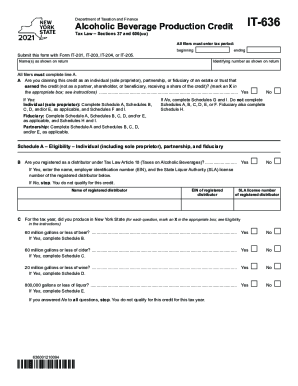
Filling out the NY IT-636 form online is crucial for claiming the alcoholic beverage production credit. This guide provides clear and detailed instructions for users to navigate each section of the form effectively.
Follow the steps to fill out the NY IT-636 form with ease.
- Click ‘Get Form’ button to obtain the form and access it in the online editor.
- All filers must enter the tax period at the top of the form. This should match the timeframe for which you are claiming the credit.
- Complete the identifying information by entering your name(s) as shown on your tax return and your identifying number. Ensure this information is accurate.
- On line A, indicate whether you are claiming this credit as an individual, partnership, or fiduciary by marking an X in the appropriate box. If claiming as an individual, complete the necessary schedules as instructed.
- If confirming you are registered as a distributor, respond to line B and provide the name and employer identification number (EIN) of the registered distributor. If not registered, you do not qualify for this credit.
- Proceed to line C to check your production amounts for specific types of alcoholic beverages produced in New York State. Mark yes or no for beer, cider, wine, and liquor, completing corresponding schedules as applicable.
- Complete the respective schedules (A through F) based on the production quantities and types of alcoholic beverages. Be sure to add any additional sheets if necessary.
- Once all sections and schedules are completed, verify all entered information for accuracy.
- Finally, save your changes, and download or print the completed form. You may also share it as necessary.
Complete your tax documents online for efficiency and accuracy.
✔ New York's general sales tax of 4% also applies to the purchase of liquor.