Loading
Get Ny It-238 2021-2026
How it works
-

Open form follow the instructions
-

Easily sign the form with your finger
-

Send filled & signed form or save
How to fill out the NY IT-238 online
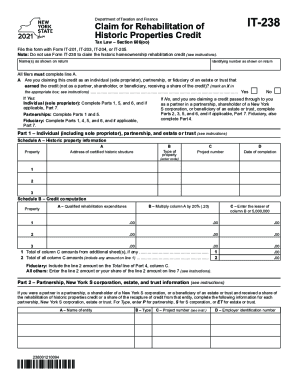
The NY IT-238 form is essential for claiming the rehabilitation of historic properties credit. This guide will provide you with clear and user-friendly instructions on how to complete the form online, ensuring you understand each section and field.
Follow the steps to successfully complete the NY IT-238 form.
- Click the ‘Get Form’ button to access the IT-238 form online and open it in your preferred editor.
- Begin by entering your identifying number as shown on your tax return and your name(s) as listed. Ensure all filers complete line A regarding the type of entity claiming the credit.
- If applicable, indicate whether you are claiming the credit as an individual, partnership, or fiduciary. Check the appropriate box to confirm your status.
- Proceed to Part 1, where you will input the address of the certified historic structure and details about the type of property, project number, and the date of completion.
- In Schedule B, compute your credit by documenting the qualified rehabilitation expenditures and multiplying your amounts as instructed. Ensure to enter the lesser amount where required.
- If you are part of a partnership, New York S corporation, estate, or trust, complete Part 2 with entity details. Record the type, name, and employer identification number for each entity.
- In Part 3, report your share of the credit as a partner, shareholder, or beneficiary. Add up your contributions accurately.
- Continue to Part 4 to document the beneficiary's share of the credit, bringing together totals from previous parts as needed.
- In Part 5, compute the total credit by adding your share amounts from previous parts. Ensure each entry reflects the correct financial data.
- Navigate to Part 6 for the application of credit and details about carryover amounts. Calculate and verify all totals based on prior entries.
- Complete Part 7 if applicable, documenting any credit recapture with precise calculations as guided.
- Finally, review your completed form for accuracy. Save your changes, then download, print, or share the form as required.
Complete your NY IT-238 form online today to claim your rehabilitation credit efficiently.